
Pro-Quality on a Budget: Your Guide to DIY Real Estate Video Production
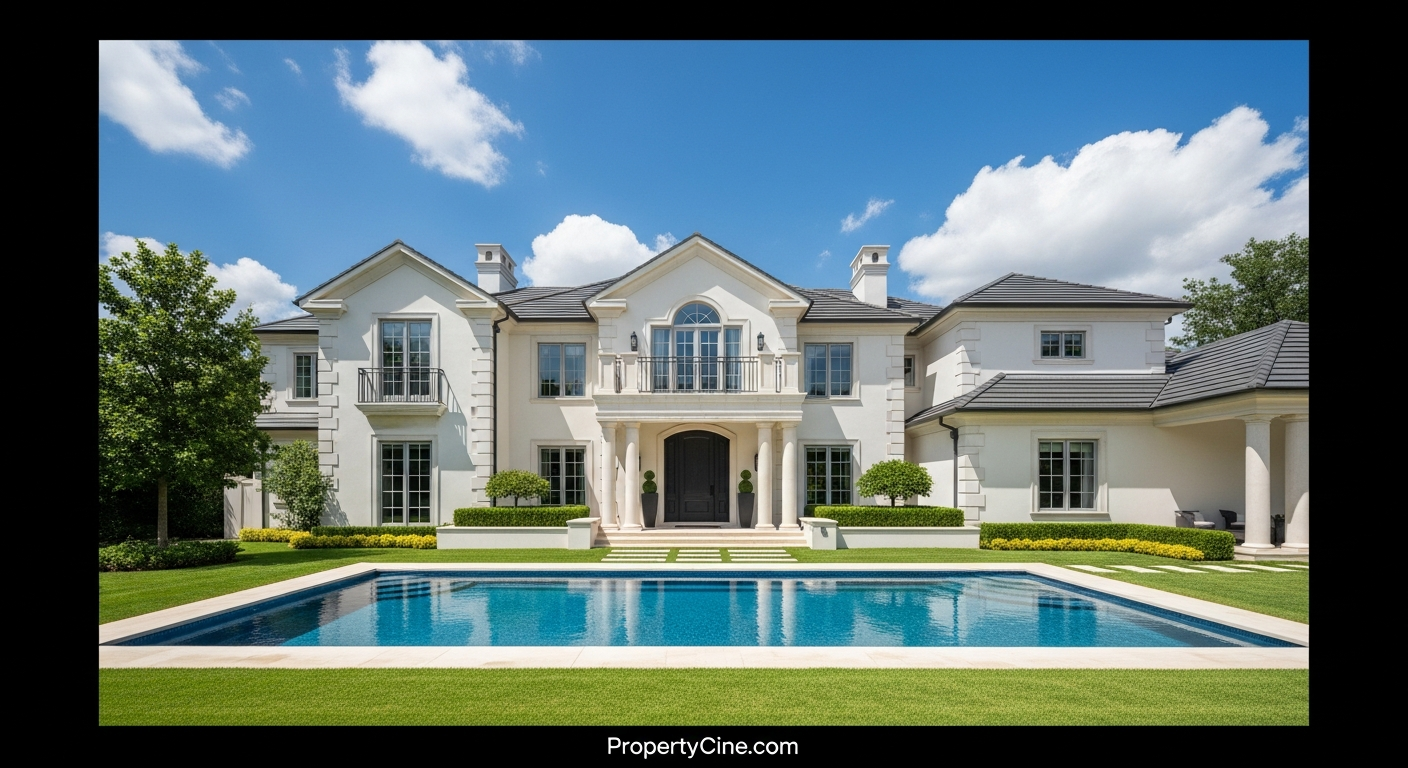
In today's competitive market, static photos alone often aren't enough to capture a property's true essence or an agent's personality. Video has become an indispensable tool for engaging potential buyers, building trust, and standing out. While professional video production can be a significant investment, the good news is that high-quality DIY real estate video production is more accessible than ever.
This guide will equip you with the knowledge and confidence to create compelling property video content using readily available tools, covering everything from essential video equipment for real estate agents to practical shooting and editing techniques.
The V.I.D.E.O. Framework for DIY Success
To simplify the process, let's break down effective real estate video production into the "V.I.D.E.O." Framework. This structured approach helps ensure you cover all crucial elements, even with a limited budget.
1. Visualize Your Story: Planning & Pre-Production
Every great video starts with a clear vision. Before you even pick up your camera, consider what story you want to tell and what message you want to convey.
* Define Your Goal: Are you creating a property tour, a neighborhood highlight, a market update, or an agent introduction? Each requires a different approach.
* Target Audience: Who are you trying to reach? First-time buyers, luxury clients, investors? Tailor your content to them.
* Outline Your Shots: Walk through the property or consider your message. What are the key features? What emotions do you want to evoke? Sketch out a shot list or storyboard.
* Craft Your Script: Even for a property tour, a brief script or bulleted talking points ensure you hit all crucial details and maintain a professional flow. (See templates below for examples.)
* Prepare the Scene: Declutter, clean, and stage the property or your filming location. Ensure good lighting and minimal distractions.
2. Invest in Essentials: Equipment Choices
You don't need top-tier cinema cameras to create effective real estate videos. The best video equipment for real estate agents balances quality, portability, and budget. Often, the device already in your pocket is a powerful starting point.
* Smartphones: Modern smartphones (iPhone 12/Android equivalents and newer) offer incredible video capabilities, often shooting in 4K. They are portable, always with you, and increasingly feature advanced stabilization.
* Camera Choice (Optional Upgrade): If you're ready to invest beyond a smartphone, mirrorless cameras (e.g., Sony Alpha series, Canon EOS R series, Fujifilm X-T series) offer larger sensors for better low-light performance, interchangeable lenses for creative control, and superior manual settings. However, they come with a steeper learning curve and higher cost.
* Stabilization:
* Tripod: Non-negotiable for steady shots, especially for interior walk-throughs and agent interviews. Look for a lightweight, travel-friendly option.
* Gimbal/Stabilizer: For buttery-smooth tracking shots, a motorized gimbal (like DJI Osmo Mobile for smartphones or Ronin/Zhiyun for cameras) dramatically elevates production value.
* Audio Equipment: Poor audio can ruin an otherwise great video.
* Lavalier Microphone: A clip-on mic (wired or wireless) is crucial for clear voiceovers or agent narration.
* Shotgun Microphone: Mounts on your camera/phone for better ambient sound capture or when a lavalier isn't practical.
* Lighting: Natural light is your best friend. Supplement with:
* LED Panel Lights: Portable, battery-powered lights that can fill in shadows or brighten dimly lit rooms. Look for bi-color options to match ambient light.
* Reflectors: Simple, inexpensive tools to bounce existing light into shadowy areas.
3. Direct with Purpose: Shooting Techniques
With your plan and equipment ready, it's time to shoot. These techniques will help you capture engaging footage.
* Steady Shots are Key: Always use a tripod or gimbal. Jumpy footage is jarring and unprofessional.
* Vary Your Angles: Don't just shoot from eye-level. Get low, go high, capture details.
* Slow & Smooth Movements: When panning or tilting, move slowly and deliberately. Use a gimbal for fluid walk-throughs.
* Framing: Apply the "rule of thirds" to compose visually appealing shots. Avoid clutter in the background.
* Shoot More Than You Need: Capture extra footage (B-roll) of details, neighborhood scenes, or exterior shots. This provides flexibility in editing.
* Mind the Light: Shoot during the "golden hour" (early morning or late afternoon) for exteriors. For interiors, open curtains to maximize natural light and turn on all ambient lights. Avoid direct harsh sunlight.
4. Edit for Impact: Post-Production Basics
Editing is where your raw footage transforms into a polished story.
* Choose the Right Software:
* Mobile Apps: CapCut, InShot, DaVinci Resolve (iPad), LumaFusion (iOS) are powerful and often free or low-cost options for smartphone editing.
* Desktop Software: DaVinci Resolve (free), Adobe Premiere Pro, Final Cut Pro (Mac), iMovie (Mac, free) offer more advanced control for color grading, audio mixing, and complex edits.
* Trim & Cut: Remove unnecessary pauses, "ums," and shaky footage. Keep clips concise and focused.
* Add Music: Select royalty-free background music that matches the tone of your property and target audience. Ensure the music isn't distracting and doesn't overpower narration.
* Color Correction & Grading: Adjust brightness, contrast, and color balance to make your footage look vibrant and professional. Many apps have one-tap enhancement features.
* Text & Graphics: Add on-screen text for key features, location, or calls to action. Keep it clean and readable.
* Call to Action: End your video with a clear call to action: "Contact [Your Name] for a private showing," or "Visit [Your Website] for more details."
5. Outreach & Optimize: Distribution Strategies
A great video is useless if no one sees it. Plan your distribution.
* YouTube: The second-largest search engine. Optimize titles, descriptions, and tags with relevant keywords (e.g., "[Neighborhood] homes for sale," "[Property Address] walk-through").
* Social Media:
* Instagram Reels/Stories/Feed: Short, engaging clips work well here.
* Facebook: Share property tours, live Q&As, and neighborhood spotlights.
* TikTok: Use trending sounds and quick cuts for highly engaging, short-form content, especially for lifestyle videos.
* MLS & Website: Embed videos directly onto your listing pages and personal website.
* Email Marketing: Include video thumbnails in your email newsletters to increase click-through rates.
Breaking Down the Equipment: Best Video Equipment for Real Estate Agents
Understanding the purpose of each piece of equipment will help you make informed choices, regardless of your budget.
| Equipment Category | Essential Item | Budget Option | Mid-Range Option | Professional Perk |
|---|---|---|---|---|
| Camera | Smartphone | Modern iPhone/Android | Mirrorless Camera | Full-frame DSLR/Mirrorless |
| Stabilization | Mini Tripod | Basic smartphone tripod | Gimbal (DJI Osmo Mobile) | Pro Camera Gimbal |
| Audio | Lavalier Mic | Wired clip-on mic | Wireless lav system | Dedicated shotgun mic |
| Lighting | Natural light | Foldable reflector | Small LED panel (bi-color) | Larger LED panels/softboxes |
| Editing | Mobile Apps | CapCut / InShot | LumaFusion / DaVinci Resolve (free) | Adobe Premiere Pro / FCPX |
Smartphone vs. Dedicated Camera: When to Upgrade
* Smartphone: Ideal for beginners, quick market updates, social media snippets, and initial property walkthroughs. Excellent for spontaneous content.
* Dedicated Camera (Mirrorless/DSLR): Consider this when you need superior low-light performance, more control over depth of field (for cinematic blur), interchangeable lenses for diverse shots (wide-angle interiors, telephoto details), and professional-grade color science. This is an investment best suited for agents consistently producing high-volume, premium video content.
Ethical & Professional Considerations
Maintaining trust and professionalism is paramount in real estate video.
* Transparency: Always represent properties accurately. Avoid misleading angles or selective editing that could misrepresent space or condition.
* Privacy & Consent: If filming people, neighbors, or identifiable items in a property, ensure you have explicit consent.
* Copyright: Only use royalty-free music and licensed assets. Using copyrighted music can lead to your video being muted or removed.
* Compliance: Be aware of any local real estate board regulations regarding video advertising or property representation.
Copy-Paste Templates for Your Next Video
Leverage these templates to streamline your DIY real estate video production and messaging.
60-90 Second Property Tour Video Script Template
Video Title: [Property Address] | [Number] Bed, [Number] Bath Home in [Neighborhood]
(0-5 seconds) OPENING SHOT: Smooth glide/pan showcasing the exterior, front door, or a striking interior feature.
AGENT (on-screen or voiceover): "Welcome to [Property Address] in the desirable [Neighborhood]! I'm [Your Name] with [Your Brokerage], and I'm thrilled to give you a quick tour of this incredible property."
(5-20 seconds) INTERIOR TOUR - LIVING/DINING: Show open concept, natural light, key features.
AGENT (voiceover): "Step inside and discover the spacious [Living Room/Great Room] bathed in natural light, perfect for entertaining. Notice the [mention specific feature like 'hardwood floors' or 'vaulted ceilings']."
(20-40 seconds) KITCHEN/PRIMARY BEDROOM: Highlight upgraded appliances, master suite features.
AGENT (voiceover): "The gourmet kitchen is a chef's dream, featuring [mention 'granite countertops', 'stainless steel appliances', 'custom cabinetry']. And for ultimate relaxation, retreat to the serene primary suite, complete with [mention 'spa-like ensuite' or 'walk-in closet']."
(40-60 seconds) UNIQUE FEATURES / YARD: Showcase a special amenity, backyard, or view.
AGENT (voiceover): "Beyond the interiors, enjoy the [mention 'private backyard oasis', 'covered patio', 'community amenities']. It’s an ideal space for [mention activity like 'summer barbecues' or 'morning coffee']."
(60-75 seconds) NEIGHBORHOOD/LIFESTYLE: Briefly mention local perks.
AGENT (voiceover): "Located just moments from [mention nearby attraction like 'local parks', 'top-rated schools', 'vibrant downtown'], this home offers the perfect blend of comfort and convenience in [Neighborhood]. For tips on enhancing your neighborhood videos, check out our guide on US Real Estate Lifestyle Video Marketing: Selling the Dream."
(75-90 seconds) CALL TO ACTION: Agent on-screen or text overlay with contact info.
AGENT (on-screen or voiceover): "This property truly needs to be seen to be appreciated. To schedule a private showing or learn more, contact me, [Your Name], at [Your Phone Number] or visit [Your Website/Listing Link]. Don't miss your chance to call [Property Address] home!"
Email Subject Line Templates
Social Media Caption Templates
For a Full Property Tour (YouTube/Facebook):
"Experience [Property Address] like never before! Our latest video tour takes you inside this stunning [Number] bed, [Number] bath home in [Neighborhood]. From the [mention key feature 1] to the [mention key feature 2], see why this could be your dream home. Watch the full video here: [Link to Video] #RealEstate #HomeForSale #[Neighborhood]Homes #[YourCity]RealEstate"
For an Instagram Reel/Short Video (Highlighting one feature):
"Kitchen goals achieved! 😍 This [Neighborhood] home features an incredible [mention kitchen feature, e.g., 'chef's kitchen with massive island']. Imagine hosting here! Full tour link in bio. #KitchenInspo #DreamHome #[Neighborhood] #[YourCity]RealEstate #RealEstateVideo"
For a Market Update Video:
"Curious about the [Your City] real estate market? 📈 I'm breaking down the latest trends for [Month/Quarter] and what it means for buyers and sellers in my newest video. Watch now for insights: [Link to Video] #MarketUpdate #RealEstateNews #[YourCity]RealEstate #AgentInsights"
FAQ
Q1: Can I really produce quality real estate videos with just a smartphone?
A1: Absolutely. Modern smartphones capture excellent quality video, especially when paired with good lighting, stable shooting techniques (a tripod is key!), and clear audio from an external microphone.
Q2: What's the most critical piece of equipment for a beginner?
A2: A good quality smartphone and a stable tripod are the most critical starting points. Clear audio from an external lavalier microphone is a close second.
Q3: How long should my real estate videos be?
A3: It depends on the platform and content. Property tours typically range from 1-3 minutes. Social media shorts (Reels, TikTok) should be 15-60 seconds. Agent introductions or market updates can be 2-5 minutes. Conciseness is always appreciated.
Q4: Should I use background music? If so, where do I find it?
A4: Yes, background music enhances the viewing experience. Always use royalty-free music to avoid copyright issues. Platforms like Epidemic Sound, Artlist, or the YouTube Audio Library offer vast selections, often with subscription or free options.
Q5: How often should real estate agents post video content?
A5: Consistency is more important than frequency. Aim for at least one quality video per week if possible, whether it's a property tour, market update, or lifestyle piece. This helps maintain engagement and visibility. Consider how you can Boost Your US Real Estate Agent Video Workflow Efficiency with the PACE Framework.
Q6: What's the best way to get good lighting indoors without expensive equipment?
A6: Maximize natural light first: open curtains, turn on all overhead lights, and position your subject facing a window. A simple, inexpensive reflector can bounce light into shadowed areas. Avoid shooting directly into bright windows.
Q7: Is it better to shoot horizontally or vertically for real estate videos?
A7: For property tours and YouTube, always shoot horizontally (landscape) for a cinematic feel. For social media platforms like Instagram Reels and TikTok, vertical (portrait) video is preferred. Many agents shoot both or repurpose horizontal clips for vertical formats.
Q8: Should I hire a professional editor or do it myself?
A8: Starting DIY is excellent for learning and budget control. If your video volume increases, or you want a highly polished look that takes too much of your time, hiring a professional editor can be a wise investment, freeing you up to focus on clients.
Key Takeaways
* Plan Diligently: A strong pre-production plan (the 'V' in V.I.D.E.O.) is the foundation of any successful DIY video.
* Prioritize Essentials: Invest in a good smartphone, a stable tripod, and an external microphone for immediate quality improvement.
* Master the Basics: Steady shots, good lighting, and clear audio elevate your videos more than expensive cameras.
* Edit Smart: Utilize accessible software and focus on concise cuts, appropriate music, and clear calls to action.
* Distribute Widely: Optimize your videos for various platforms to maximize reach and engagement.
Creating your own high-quality real estate videos is an achievable goal that can significantly enhance your marketing efforts and client engagement. By following this guide, you can confidently embark on your DIY real estate video production journey.
Ready to transform your property photos into cinematic videos with ease? Learn more about AI-powered real estate video at PropertyCine.
Continue Your Learning
Explore more insights from our real estate marketing blog:
- Showcase New Developments: Your Winning Developer Video Marketing Strategy
- Crafting Compelling Real Estate Investor Video Content
- Rental Property Video Marketing: Fill Vacancies Faster, Attract Top Tenants
Ready to transform your property listings? PropertyCine makes it easy to create stunning cinematic videos from your listing photos. Get started free today.


Turn Your Listing Photos Into Stunning Videos
Upload your property photos and our AI creates cinematic videos with natural motion - curtains sway, water ripples, light shifts. Ready in ~5 minutes.
Try Free - No Credit CardPropertyCine Team
Expert insights on real estate video marketing and AI technology.
Create Stunning Property Videos Today
Transform your listing photos into cinematic videos with AI.
Get Started Free