
How to Create Engaging 360 Degree Property Video Walkthroughs
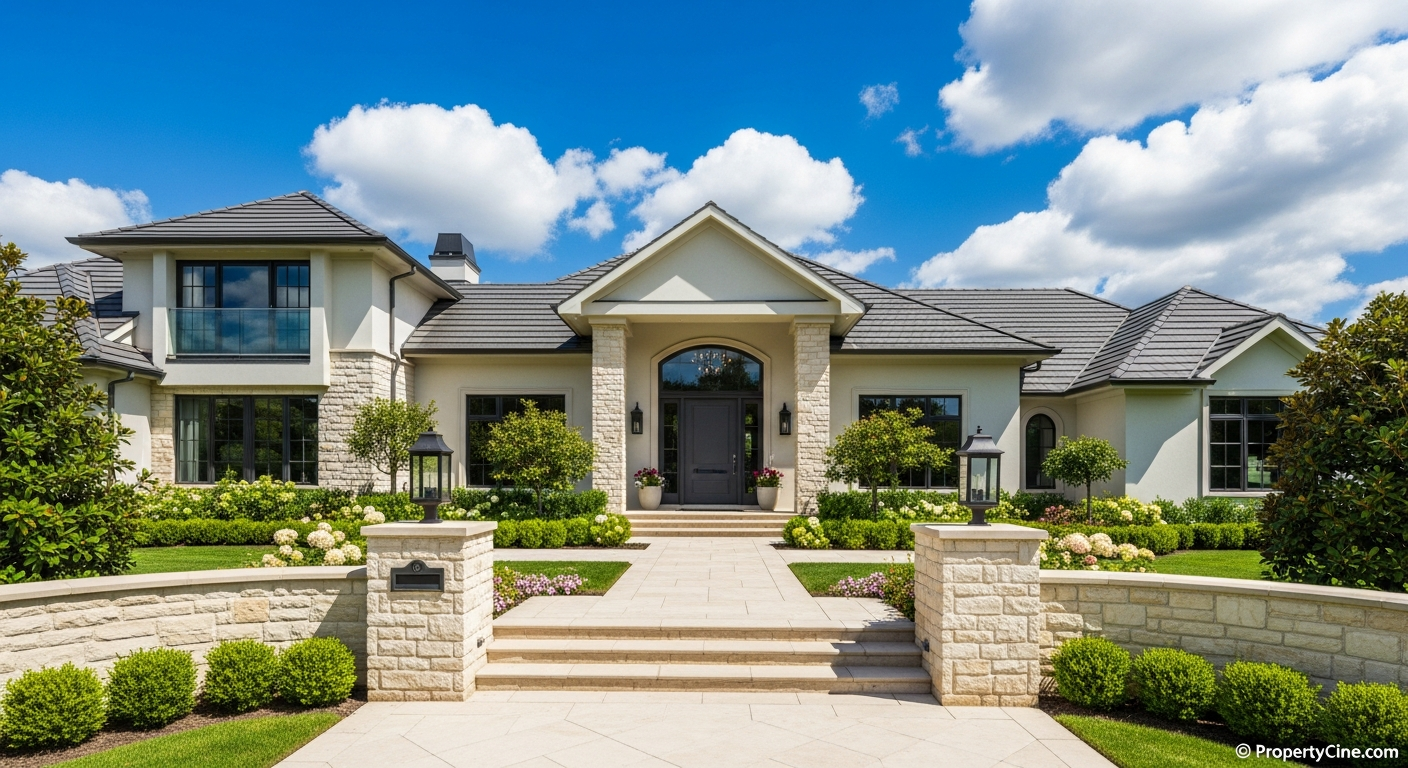
In today's competitive real estate market, capturing buyer attention beyond static photos is crucial. While traditional video tours offer a dynamic view, 360 degree property video walkthroughs provide an unmatched immersive experience, allowing prospective buyers to explore a property as if they were physically there. This technology empowers agents to showcase every angle, fostering deeper engagement and helping clients visualize their future home from anywhere in the world.
Property professionals consistently seek innovative ways to present listings. Integrating immersive video content can significantly enhance an agent's online presence and marketing efforts. This guide will walk you through creating compelling 360-degree video walkthroughs, from planning to promotion, ensuring your listings truly stand out.
What Are 360 Degree Property Video Walkthroughs?
Unlike standard videos that guide a viewer along a predefined path, 360-degree property video walkthroughs empower the viewer to control their perspective. Using a specialized 360-degree camera, multiple camera lenses capture an entire sphere of vision simultaneously. When played back on a computer, mobile device, or VR headset, viewers can drag and pan to look up, down, left, and right, effectively "walking through" the property and choosing what they want to see.
This interactive format offers a sense of presence that traditional media cannot replicate, making it an invaluable tool for modern real estate marketing.
The IMMERSE Method: Crafting Superior 360 Video Tours
Creating a captivating 360-degree property video is more than just pressing record. It requires a strategic approach to planning, execution, and presentation. The IMMERSE Method provides a framework for developing high-quality, engaging 360 video tours for agents.
I - Innovate with Technology
Leverage the right tools. While professional 360 cameras offer superior quality, many prosumer models are excellent for real estate. Consider features like resolution, stabilization, and ease of use. Beyond the camera, utilize editing software capable of handling 360-degree footage and platforms that support interactive playback. For advanced processing or if you're working with existing photos, tools like PropertyCine can transform images into cinematic walkthroughs, potentially complementing your 360 video strategy.
M - Map Your Tour Path
Before shooting, meticulously plan the "walkthrough" route. Determine the key rooms and features you want to highlight. A logical flow is essential – avoid confusing jumps or backtracking. Think about the viewer's experience: Where would they naturally go first? What views are most important from each vantage point? A smooth, intuitive path enhances immersion.
M - Maximize Engagement Points
Identify specific points within each room or space where a 360-degree view adds the most value. This might be a panoramic view from a balcony, the center of a spacious living room, or showcasing a unique architectural feature. Position your camera at a height that mimics a person's eye level for a realistic experience.
E - Enhance with Overlay Details
Beyond the raw footage, enhance your 360 videos with interactive elements. Consider adding pop-up information points for key features (e.g., "Custom Cabinetry," "Smart Home System"), floor plan overlays, or even short voiceovers. These enhancements provide valuable context without interrupting the immersive flow.
R - Review for Seamless Flow
Thoroughly review your captured footage. Look for stitching errors, inconsistent lighting, or any elements that detract from a smooth, immersive experience. Ensure transitions between capture points are logical and not jarring. A polished, seamless walkthrough keeps viewers engaged.
S - Share Across Platforms
Maximize your reach by distributing your 360 property video walkthroughs across various channels. Platforms like YouTube, Facebook, and specialized real estate portals support 360-degree video. Embed them directly onto your listing pages and share across social media. Remember that some platforms might require specific formatting or metadata.
E - Evaluate & Optimize
After publishing, track engagement metrics where possible. Which videos receive the most views or longest watch times? Are viewers spending time exploring specific areas? Use this feedback to refine your future interactive listing videos. Continual optimization based on real viewer behavior ensures your content remains effective.
Step-by-Step: Creating Your 360 Property Video Walkthrough
1. Pre-Production: Planning for Success
* Define Your Goal: What do you want viewers to take away? Is it the spaciousness, the view, or specific features?
* Property Preparation: Stage the home meticulously. Declutter, clean thoroughly, and ensure all lights are on. Open blinds to maximize natural light.
* Storyboarding Your Route: Draw a simple floor plan and mark the exact spots where you'll place the 360 camera. Plan your movement between these points to avoid appearing in your own shot.
* Check Lighting: Identify areas with harsh shadows or overexposure. Adjust lighting where possible or plan to shoot at optimal times of day.
2. Equipment Essentials
* 360-Degree Camera: Invest in a camera known for good image quality and ease of use. Popular options are readily available in various price ranges.
* Tripod/Monopod: Crucial for stability and consistent height, preventing shaky or uneven footage. A lightweight, portable option is ideal.
* Editing Software: Software capable of stitching 360-degree footage and adding overlays (e.g., Adobe Premiere Pro with a 360 plugin, Insta360 Studio, GoPro Player).
* Optional Accessories: External microphone for narration (if applicable), remote control for the camera to avoid being in shots.
3. Production: Capturing Your Immersive Tour
* Camera Placement: Position the camera at eye level, roughly 5-6 feet high, to simulate a person's perspective.
* Clean Shots: Step out of the frame immediately after starting recording. Wait for the camera to complete its capture before re-entering.
* Consistent Lighting: Try to maintain consistent lighting conditions throughout the shoot. If transitioning between indoors and outdoors, consider separate captures.
* Multiple Capture Points: Capture views from several strategic locations within each room and connecting spaces, following your planned route. Overlap views slightly to aid stitching.
* Brief Holds: For each capture point, record for at least 30-60 seconds to allow for editing flexibility and viewer exploration.
4. Post-Production: Assembling Your Walkthrough
For transforming photos into video, especially if you're experimenting with different angles and styles, tools that create dynamic presentations from still images can be highly effective. Learn more about advanced options in our article on AI Generated Property Video Tours: The Future of Real Estate Marketing.
Comparison: 360 Video Walkthroughs vs. Traditional Video Tours
| Feature | 360-Degree Property Video Walkthroughs | Traditional Property Video Tours |
|---|---|---|
| Viewer Control | High - viewers actively control their perspective | Low - viewers passively follow a fixed path |
| Immersion Level | Very high - "being there" feel, spatial awareness | Moderate - guided tour, less personal exploration |
| Equipment Cost | Potentially higher initial investment for specialized cameras | Generally lower (can use smartphone or standard DSLR) |
| Editing Complexity | Higher - stitching, managing equirectangular footage | Lower - standard video editing techniques |
| Target Audience | Tech-savvy buyers, remote buyers, those seeking deep exploration | Broad audience, quick overview, cinematic presentation |
| Best Use Case | Showcasing spaciousness, unique layouts, full environment | Highlighting specific features, storytelling, agent branding |
While traditional video excels at storytelling and highlighting specific details, 360 degree property video walkthroughs shine in providing an unfiltered, comprehensive virtual presence. Many agents find success by using both formats: a short, engaging traditional video for social media (check out Mastering Real Estate Video Reels for Social Media) alongside a detailed 360-degree walkthrough for serious inquiries.
Templates for Your 360 Video Marketing
Email Subject Lines
360 Video Script Template (60-90 Seconds)
(Pre-roll: 5-10 seconds - Cinematic fly-through or quick cuts of key features. Text overlay: "[Property Address] - [Neighborhood]")
(Voiceover starts as the 360-degree walkthrough begins in the main living area, allowing viewers to pan around)
"Welcome to [Property Address] in the vibrant [Neighborhood]! I'm [Your Name], your local real estate expert, and I'm thrilled to invite you on an immersive 360-degree journey through this exceptional home.
(Transition to kitchen)
As you virtually step into the heart of the home, notice the [Kitchen Feature 1] and [Kitchen Feature 2], perfect for entertaining or quiet family meals. Take a moment to explore every detail.
(Transition to master bedroom/suite)
Now, let's explore the tranquil owner's suite. Imagine relaxing in this spacious sanctuary, complete with [Bedroom Feature 1] and an en-suite bath designed for comfort.
(Transition to outdoor space/unique feature)
Beyond the interiors, this property boasts [Outdoor Feature/Unique Selling Point]. Whether it's the [Specific Detail of outdoor feature] or the [Another specific detail], you have the freedom to look around and appreciate the full scope of this amazing space.
(Text overlay: "[Your Contact Info] - [Website]")
Ready to experience [Property Address] firsthand? Contact me at [Your Phone Number] or visit [Your Website] for more information or to schedule a private showing. Don't just view it, immerse yourself in it. Thank you for touring!"
Social Media Caption Templates
Option 1 (Focus on Immersion):
🤯 Experience [Property Address] like never before! Our new 360-degree video walkthrough lets YOU control the view. Explore every corner, from the [Living Room Feature] to the [Kitchen Feature]. Click the link in bio to virtually step inside! #360Tour #[Neighborhood]Homes #[YourCity]RealEstate
Option 2 (Highlighting Convenience):
No need to leave your couch! Take a complete 360-degree tour of our stunning new listing at [Property Address]. See every detail and feel like you're really there. Link below to explore! #VirtualTour #RealEstateVideo #NewListing #[YourName]Realty
Option 3 (Question-based Engagement):
Ever wished you could truly "walk through" a home online? Now you can! We're excited to present a full 360-degree walkthrough of [Property Address]. What's your favorite part of this home? Let us know in the comments after your tour! 👇 Link in bio. #InteractiveTour #HomeForSale #PropertyVideo
Follow-Up Message Template (for leads who viewed the 360 tour)
Subject: Following Up: Your 360-Degree Tour of [Property Address]
Hi [Lead Name],
I noticed you recently took our 360-degree virtual walkthrough of [Property Address]. I hope you enjoyed the immersive experience and got a real feel for the home!
What were your initial thoughts on the property, and did any particular features stand out to you during the tour?
I'm happy to answer any questions you might have or provide more details on specific areas. If you're interested in taking the next step, I can also schedule a private in-person showing or discuss similar properties that might fit what you're looking for.
Please feel free to reply to this email or call/text me directly at [Your Phone Number].
Best regards,
[Your Name]
[Your Title]
[Your Company]
[Your Website]
Ethical Considerations for 360 Property Video Walkthroughs
* Transparency: Always clearly label your 360 videos. While immersive, it's a digital representation, not a live feed.
* Property Consent: Ensure you have the homeowner's explicit permission to create and publish a 360-degree video of their property.
* Privacy: Be mindful of capturing personal items or sensitive information if the home is still occupied. Ensure such items are removed or blurred.
* Accuracy: While 360 video offers a broad view, avoid editing that could misrepresent the property's size, condition, or features. The goal is to inform, not mislead.
FAQ
Q1: What kind of camera do I need for 360 degree property video walkthroughs?
A1: You'll need a dedicated 360-degree camera. Popular brands offer models ranging from consumer-friendly to professional, with varying resolutions and features.
Q2: How long should a 360-degree property video walkthrough be?
A2: Aim for 2-5 minutes. The goal is to provide a comprehensive, interactive experience without overwhelming the viewer. Focus on quality and key areas rather than excessive length.
Q3: Can I add narration or music to my 360 video?
A3: Yes, you can add both narration and royalty-free background music during the editing phase to enhance the viewer's experience and provide guided information.
Q4: Where can I host and share my 360 property videos?
A4: Platforms like YouTube, Facebook, and Vimeo support 360-degree video playback. Many dedicated real estate listing portals also offer direct embedding or uploading options for panoramic home tours.
Q5: Is 360 video compatible with VR headsets?
A5: Yes, most 360-degree videos can be viewed using VR headsets, providing an even more immersive and lifelike experience for the viewer. This is a great way to showcase properties for remote buyers.
Q6: Do I need professional editing software for 360 video?
A6: While basic editing can often be done with your camera's bundled software, professional software (e.g., Adobe Premiere Pro with a 360 plugin) offers more control over stitching, color correction, and adding interactive elements.
Q7: What's the difference between a 360 video and a virtual reality (VR) tour?
A7: A 360 video is a recorded spherical video where the viewer controls the perspective. A true VR tour (often 3D generated or using stitched 360 photos) can offer even more interactive elements, freedom of movement, and often a higher sense of spatial presence, similar to what's explored in Mastering Virtual Reality Property Showcase Videos for Modern Real Estate.
Q8: How often should I create 360 videos for my listings?
A8: Consider creating a 360 video for every significant listing, especially those with unique layouts, expansive spaces, or for out-of-area buyers. It's a premium offering that elevates your marketing for properties that truly benefit from an immersive view.
Key Takeaways
* 360 degree property video walkthroughs offer unparalleled immersion and viewer control.
* The IMMERSE Method (Innovate, Map, Maximize, Enhance, Review, Share, Evaluate) provides a structured approach to creating high-quality tours.
* Thorough planning, proper equipment, and careful post-production are crucial for success.
* Utilize templates for email subject lines, video scripts, and social media captions to streamline your marketing efforts.
* Always adhere to ethical guidelines regarding consent, privacy, and accurate representation.
Ready to bring your property listings to life with dynamic, immersive videos? Start transforming your listing photos into cinematic real estate video strategy tours today.
Explore how PropertyCine can simplify your video creation process and help you deliver engaging property video content with ease.
Continue Your Learning
Explore more insights from our real estate marketing blog:
- Mastering Real Estate Video Reels for Social Media
- Mastering Virtual Reality Property Showcase Videos for Modern Real Estate
- AI Generated Property Video Tours: The Future of Real Estate Marketing
Ready to transform your property listings? PropertyCine makes it easy to create stunning cinematic videos from your listing photos. Get started free today.


Turn Your Listing Photos Into Stunning Videos
Upload your property photos and our AI creates cinematic videos with natural motion - curtains sway, water ripples, light shifts. Ready in ~5 minutes.
Try Free - No Credit CardContinue Reading
Unlocking Niche Appeal: Short-Form Video for Niche Property Markets
Read moreData-Driven Video Personalization for Buyers: Captivate Your Real Estate Audience
Read moreMastering Interactive Short-Form Video for Property Tours: Drive Engagement & Sales
Read morePropertyCine Team
Expert insights on real estate video marketing and AI technology.
Related Articles
Unlocking Niche Appeal: Short-Form Video for Niche Property Markets
Data-Driven Video Personalization for Buyers: Captivate Your Real Estate Audience
Mastering Interactive Short-Form Video for Property Tours: Drive Engagement & Sales
Smart Home Video Tours Real Estate Agents Need to Master
Elevate Listings: Smart Home Technology Video Tours Real Estate Agents Need
Mastering Property Video Editing: A Complete Guide
Create Stunning Property Videos Today
Transform your listing photos into cinematic videos with AI.
Get Started Free