
Interactive Property Video Tours: Beyond Standard Virtual Showings
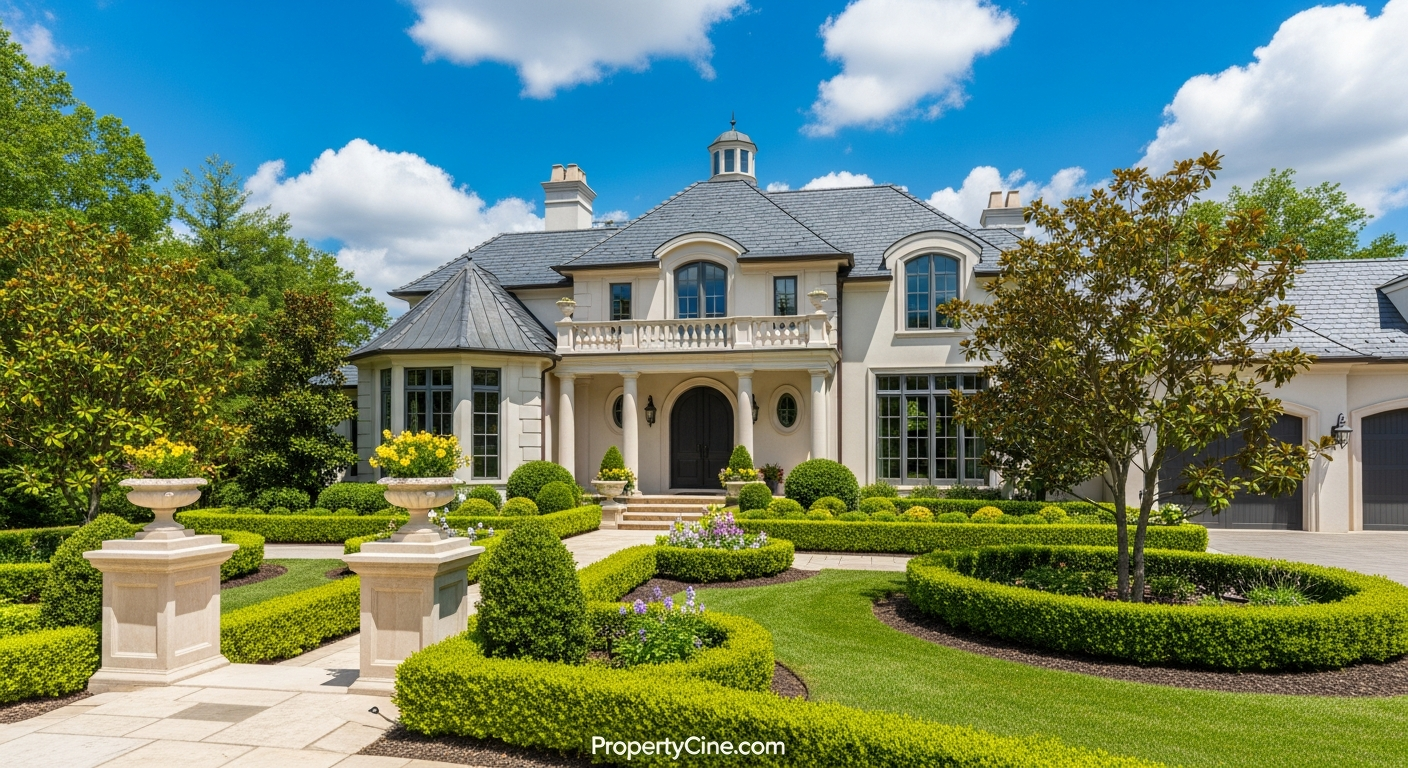
The real estate market is constantly evolving, and so must your marketing strategies. While traditional virtual tours offered a significant step forward, the next frontier in property showcasing is interactive property video tours. These aren't just passive videos; they empower potential buyers to explore a property on their own terms, making decisions, clicking hotspots, and engaging actively with the listing.
This shift from passive viewing to active participation changes the game, allowing agents to capture deeper interest and better qualify leads.
Why Interactive Property Video Tours Outperform Standard Virtual Tours
Traditional virtual tours, while useful, often present a linear, pre-determined path. Viewers passively watch, and their engagement is limited to what's presented. Interactive property video tours, however, offer a dynamic experience where the viewer becomes the guide.
Many successful agents observe that giving viewers control significantly boosts engagement and retention. Instead of simply watching a walkthrough, a potential buyer can:
* Choose their path: Navigate directly to rooms of interest.
* Access detailed information: Click on appliances, fixtures, or floor plans to reveal specifications.
* Engage with calls-to-action: Schedule a showing, download a brochure, or ask a question directly within the video.
* Personalize the experience: Virtually stage different furniture layouts or see day/night views.
These elements transform a passive viewing into an active exploration, leading to a more memorable experience and often a more qualified inquiry. Agents consistently report that interactive content helps them stand out in competitive markets by offering something truly unique.
The REACH Framework for Engaging Interactive Property Video Tours
To consistently create high-impact interactive property video tours, follow the REACH Framework. This simple, memorable approach ensures every interactive element serves a purpose.
R - Relevance & Personalization: Tailor the experience.
E - Exploration & Control: Give viewers the power to navigate.
A - Action & Conversion: Integrate clear calls-to-action.
C - Connectivity & Communication: Facilitate direct engagement.
H - Highlights & Storytelling: Emphasize key features dynamically.
1. Relevance & Personalization
An interactive tour should feel relevant to the individual viewer. While full personalization is complex, you can offer choices based on common buyer needs.
* Buyer Persona Paths: Imagine offering choices like "Are you looking for family living or an executive retreat?" which then customizes the video's focus.
* Interest-Based Hotspots: Allow viewers to click on "Outdoor Living," "Kitchen Details," or "Master Suite" to jump to those sections directly.
2. Exploration & Control
This is the core of interactivity. Viewers should feel they are in control of their journey through the property.
* Clickable Navigation: Implement arrows or floor plan overlays that let viewers jump between rooms or sections.
* 360-Degree Views: Integrate panoramic views within the video, allowing viewers to look around a room at their leisure. For more on this, explore "How to Create Engaging 360 Degree Property Video Walkthroughs" [/blog/how-to-create-engaging-360-degree-property-video-walkthroughs].
* "Choose Your Own Adventure" Pathways: Offer prompts like "Would you like to see the backyard next, or the master bedroom?"
3. Action & Conversion
Every interactive property video tour should have clear opportunities for the viewer to take the next step.
* Integrated CTAs: Buttons directly in the video for "Schedule a Showing," "Download Floor Plan," "Contact Agent."
* Information Overlays: Clickable pop-ups that display property specs, neighborhood data, or school information without leaving the video.
* Embedded Forms: Short lead capture forms that appear at strategic moments (e.g., after viewing key features).
4. Connectivity & Communication
Facilitate direct interaction between the viewer and the agent.
* Live Chat Integration: Embed a chat widget that allows real-time questions during the tour.
* Direct Messaging: A button that opens an email or WhatsApp chat with the agent.
* Virtual Open House: Use interactive video as a pre-cursor to a live, scheduled Q&A session.
5. Highlights & Storytelling
Use interactive elements to draw attention to unique selling propositions and tell the property's story in an engaging way.
* Dynamic Spotlights: Highlight luxury appliances with pop-up descriptions or short feature videos.
* Before/After Visualizations: For renovated properties, allow viewers to click to see "before" images or videos.
* Neighborhood Context: Integrate clickable maps or short clips showcasing local amenities, schools, or parks.
Step-by-Step: Creating Your First Interactive Property Video Tour
Here's a streamlined process to get started:
* Map out potential hotspots: What features warrant a click?
* Determine navigation paths: How will viewers move between rooms?
* Identify CTAs: Where and when will you prompt action?
* Consider data capture points: What information do you want to gather?
Templates for Your Interactive Property Video Tours Campaign
Using templates helps streamline your marketing efforts and maintain consistency.
Email Subject Line Templates
Interactive Video Script Template (60-90 seconds base, for general overview)
Video Segment 1: Introduction (0-15 seconds)
(Visual: Drone shot, exterior shots, inviting entrance)
Voiceover: "Welcome to [Property Address] in the vibrant [Neighborhood]! Step inside and discover a home designed for [Lifestyle/Benefit, e.g., modern living, tranquil escape]. Get ready to explore every detail on your terms."
(On-screen text: "Click to explore: Kitchen | Living Room | Master Suite")
Video Segment 2: Key Feature Highlight (15-45 seconds)
(Visual: Focus on one key area like kitchen/living room, showing amenities)
Voiceover: "Starting in the [Key Area, e.g., gourmet kitchen], you'll find [Feature 1, e.g., designer appliances], perfect for [Benefit, e.g., entertaining guests]. Notice the [Feature 2, e.g., ample natural light] creating an inviting atmosphere."
(On-screen interactive elements: Clickable hotspots on appliances for specs, 'View Floor Plan' button, 'See Backyard' navigation option)
Video Segment 3: Lifestyle & Call to Action (45-90 seconds)
(Visual: People enjoying the space, exterior shots, neighborhood glimpses)
Voiceover: "Imagine [Benefit/Lifestyle, e.g., cozy evenings by the fireplace] or [Benefit/Lifestyle, e.g., morning coffee on the spacious patio]. This home isn't just a place to live; it's a lifestyle waiting for you."
(On-screen interactive elements: "Schedule a Tour" button, "Contact [Your Name]" button, "Download Brochure" button, link to neighborhood info)
Voiceover: "Ready to see more? Click the buttons to dive deeper or schedule your private showing today!"
Follow-Up Message Template (for leads from interactive tour)
Subject: Re: Your Interactive Tour of [Property Address]
Hi [Lead Name],
Thank you for exploring [Property Address] with our interactive video tour! I noticed you were particularly interested in [Specific feature clicked, e.g., the kitchen details / master suite / downloading the floor plan].
I'd love to answer any questions you might have or provide more specific insights into [Property Address] or the [Neighborhood] area.
Would you be open to a brief call sometime this week? Alternatively, you can schedule a direct showing here: [Link to your scheduling tool].
Looking forward to connecting!
Best,
[Your Name]
[Your Title]
[Your Phone Number]
[Your Website]
Social Media Caption Template
Platform: Instagram/Facebook
(Visual: Short, engaging clip from the interactive tour or a compelling static shot with an overlay like "Click to Explore")
"Stop scrolling, start exploring! 🏡 Dive into our brand-new interactive property video tour of [Property Address] in [Neighborhood]. ✨ Click around to discover every detail, from the [Highlight Feature 1] to the [Highlight Feature 2], all at your pace.
🔗 Link in bio to experience it!
InteractivePropertyTour #RealEstateVideo #NewListing #[Neighborhood]Homes #[YourCity]RealEstate #PropertyCine"
Interactive vs. Traditional Virtual Tours: A Comparison
Choosing the right tool depends on your goals and resources. Here's a quick comparison:
| Feature | Traditional Virtual Tour | Interactive Property Video Tour |
|---|---|---|
| Engagement | Passive viewing, limited interaction. | Active exploration, viewer controls experience. |
| Information | Pre-determined narrative, often text/voiceover. | On-demand info via hotspots, pop-ups, embedded documents. |
| Customization | Low, standard path for all viewers. | High, viewers choose paths, focus areas, personalized data. |
| Lead Quality | Moderate, viewers might not be deeply invested. | High, active engagement indicates serious interest. |
| Complexity | Generally simpler to produce. | Requires interactive platform, more planning for hotspots/CTAs. |
| Cost | Lower initial investment. | Higher, but often yields better ROI through qualified leads. |
Ethical Considerations for Interactive Video Marketing
* Transparency: Clearly label all interactive elements and ensure they function as expected.
* Data Privacy: If collecting user data (e.g., through embedded forms or analytics), be transparent about what data is collected and how it's used, adhering to privacy regulations.
* Accuracy: All information provided via interactive elements (e.g., property specs, neighborhood data) must be accurate and up-to-date.
* Accessibility: Consider accessibility for all users. Ensure text is readable and interactive elements are intuitive.
Tool Recommendations
To create interactive property video tours, you'll typically need:
* High-Quality Video Content: Start with stunning video footage. PropertyCine can transform your listing photos into cinematic videos, providing an excellent visual foundation.
* Interactive Video Platforms: Tools like Mindstamp, Wirewax, or Playable allow you to overlay interactive elements, navigation, and CTAs onto your base video.
* Analytics Tools: Many interactive platforms have built-in analytics, but integrating with Google Analytics can provide deeper insights into viewer behavior. For more on tracking performance, see "Advanced Analytics for Property Video Performance: Your Guide to Smarter Marketing" [/blog/advanced-analytics-for-property-video-performance-your-guide-to-smarter-marketing].
* CRM Integration: Connect your interactive video lead capture forms directly to your CRM for seamless follow-up.
FAQ
Q1: What are interactive property video tours?
A1: Interactive property video tours allow viewers to actively engage with a video by clicking on hotspots, navigating through rooms, accessing additional information, and performing actions like scheduling a showing.
Q2: How do interactive tours differ from 360-degree tours?
A2: A 360-degree tour typically provides a panoramic view within a static or video frame. Interactive tours build on this by adding clickable elements, navigation paths, and CTAs within the video content itself, allowing for deeper engagement beyond just looking around.
Q3: What kind of content can I make interactive?
A3: You can make almost any video content interactive, including property walkthroughs, neighborhood guides, agent introductions, and market updates. The key is to add clickable elements that provide value or prompt action.
Q4: Do interactive tours require special equipment?
A4: Not necessarily. You'll need good quality video footage (which can often be generated from photos using tools like PropertyCine), and then a specialized interactive video platform to add the interactive layers. No additional camera equipment beyond standard video gear is usually required.
Q5: How can interactive video tours help qualify leads?
A5: By tracking which interactive elements viewers click on and how they navigate, you gain insights into their specific interests and priorities. This data allows you to tailor your follow-up, reaching out with more relevant information to those who are most engaged.
Q6: What's a good length for an interactive property video tour?
A6: The core video segment can be 60-90 seconds for an overview. However, interactivity allows viewers to spend much longer exploring specific features. Keep the initial "hook" concise, then let the viewer guide their own extended experience.
Q7: Can I embed interactive tours on my website?
A7: Yes, most interactive video platforms provide embed codes that allow you to seamlessly integrate your interactive tours directly into your real estate website, property listing pages, or blog posts.
Q8: What's the best way to promote my interactive tour?
A8: Share the tour link across all your marketing channels: email newsletters, social media (using engaging snippets), your MLS listing (if permitted), and prominently on your personal website.
Key Takeaways
* Interactive property video tours move beyond passive viewing to active engagement, offering a richer experience for potential buyers.
* The REACH Framework (Relevance, Exploration, Action, Connectivity, Highlights) provides a clear strategy for creating effective interactive videos.
* Integrating clickable hotspots, custom navigation, and direct calls-to-action significantly boosts viewer interaction and lead qualification.
* Leverage platforms that allow you to add interactive layers to your existing high-quality property videos, such as those created with PropertyCine.
* Always prioritize transparency, data privacy, and accuracy in all interactive elements.
Ready to transform your listings into engaging, interactive experiences that capture serious buyer attention? Get the Interactive Tour Template Pack and discover how PropertyCine can elevate your property videos today.
Continue Your Learning
Explore more insights from our real estate marketing blog:
- Personalized Real Estate Video Marketing: Hyper-Connection Strategies
- Your Ultimate Short-Form Real Estate Video Strategy Guide
- Leveraging AI Video Marketing Real Estate in 2026
Ready to transform your property listings? PropertyCine makes it easy to create stunning cinematic videos from your listing photos. Get started free today.


Turn Your Listing Photos Into Stunning Videos
Upload your property photos and our AI creates cinematic videos with natural motion - curtains sway, water ripples, light shifts. Ready in ~5 minutes.
Try Free - No Credit CardContinue Reading
Unlock Engagement: Key Interactive Property Video Features for Agents
Read moreMaximize Engagement: Mastering Interactive Real Estate Live Stream Events
Read more
Beyond Virtual Tours: Creating Interactive Property Videos for Engagement
Read morePropertyCine Team
Expert insights on real estate video marketing and AI technology.
Related Articles
Create Stunning Property Videos Today
Transform your listing photos into cinematic videos with AI.
Get Started Free