
Mastering Virtual Staging Video Tours for Standout Listings
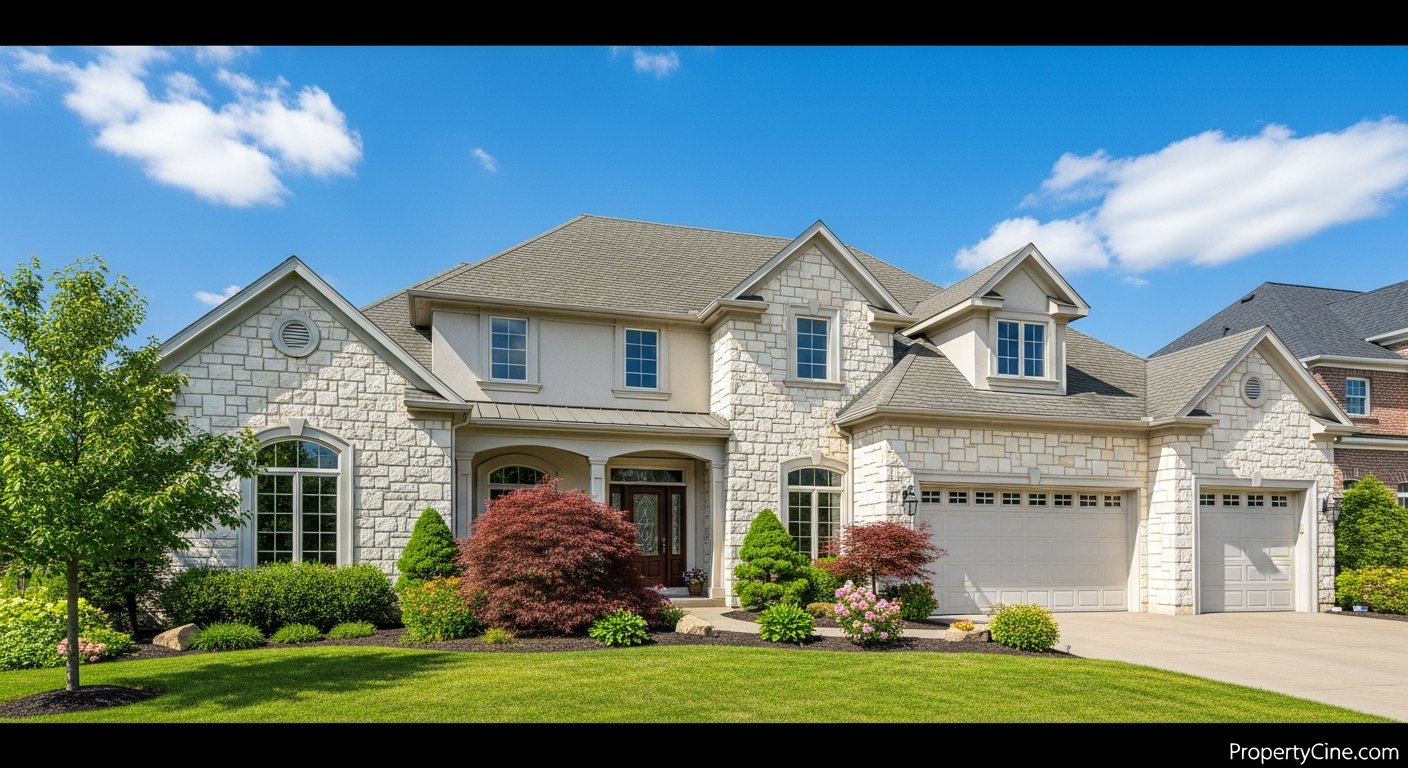
Empty properties, while offering a blank canvas, often struggle to capture a buyer's imagination. Without furniture or decor, rooms can feel smaller, less inviting, and difficult for prospective homeowners to envision their lives within. This challenge often results in slower sales cycles and less initial interest.
The solution? Virtual staging video tours. These dynamic presentations transform vacant spaces into beautifully furnished, inviting homes, all without the cost and logistical hassle of physical staging. By layering realistic 3D furniture and decor onto high-quality property photos, and then animating these into a smooth, cinematic video, agents can create an immersive experience that helps buyers visualize potential.
What are Virtual Staging Video Tours?
Virtual staging video tours blend the visual appeal of professional staging with the engagement of video content. They take static images of an empty room and digitally enhance them with furniture, decor, and even landscaping, then stitch these enhanced images into a compelling video walkthrough. The result is a dynamic, fully furnished property tour that lives online, accessible to anyone, anywhere.
This approach offers significant advantages over traditional photography or even 3D static virtual tours, providing a sense of flow and narrative that static images can't replicate. It helps bridge the gap between an empty house and a prospective buyer's future home.
The VISTA Framework for Immersive Property Tours
To maximize the impact of your digitally staged video walkthroughs, consider the "VISTA" Framework. This approach helps structure your content for maximum engagement and buyer connection.
1. Visualization: Transform the Potential
Help buyers see beyond the bare walls. A key benefit of virtual staging videos is their ability to fully furnish and decorate a space, illustrating its true potential.
* Show scale and functionality: Demonstrate how different rooms can be utilized, defining living areas, dining spaces, and bedrooms with appropriate furniture.
* Highlight key features: Use staging to draw attention to architectural details, built-in shelving, or unique room layouts that might otherwise be overlooked.
* Before-and-after segments: Briefly show a "before" shot of an empty room before transitioning to its virtually staged counterpart within the video. This creates an impactful comparison.
2. Immersion: Create a Rich Experience
Video intrinsically offers a more immersive experience than static images. Leverage this by focusing on smooth transitions, evocative music, and a natural flow.
* Cinematic camera movements: Employ gentle pans, tilts, and dollies to guide the viewer seamlessly from one area to the next, mimicking a physical walkthrough.
* Ambient sound and music: Select background music that complements the property's style and target demographic, enhancing the emotional connection without distracting from the visuals.
* Consistent aesthetic: Ensure the virtual staging style is cohesive throughout the video, reflecting a desirable lifestyle that aligns with the property's value proposition.
3. Storytelling: Guide the Lifestyle Narrative
Every home has a story. Your virtual property showcase should tell it, guiding viewers through a potential lifestyle.
* Room-by-room narrative: Structure the video to logically lead viewers through the home, perhaps starting at the entrance and progressing through main living areas, bedrooms, and outdoor spaces.
* Highlight lifestyle benefits: Use staging to suggest activities – a cozy reading nook, a productive home office, a vibrant dining area for entertaining.
* Agent narration (optional): A professional voiceover can guide viewers, pointing out features and benefits, adding a personal touch without physically being on-site.
4. Targeting: Appeal to the Ideal Buyer
Virtual staging allows you to tailor the property's look and feel to attract specific buyer demographics.
* Demographic-specific staging: For a family home, stage with child-friendly elements; for an urban condo, use modern, minimalist decor.
* Lifestyle alignment: If the property is near a beach, subtly incorporate coastal decor; for a luxury estate, reflect sophisticated elegance.
* Problem-solving: If a room has an unusual shape, demonstrate how smart staging can make it functional and appealing.
5. Accessibility: Ensure Broad Reach
Make your video-enhanced listings easy to find and view across all platforms.
* Cross-platform optimization: Ensure your video is formatted for various platforms (MLS, YouTube, social media, your website) for optimal viewing on desktop and mobile.
* Embed and shareability: Provide clear options for embedding the video on listing pages and easy sharing across social channels.
* SEO considerations: Optimize video titles, descriptions, and tags with relevant keywords to improve search visibility. Consider how video analytics can further refine your approach to audience engagement, as discussed in "Real Estate Video Analytics & ROI: Measuring Your Marketing Success" [/blog/real-estate-video-analytics-roi-measuring-your-marketing-success].
Step-by-Step: Crafting Engaging Virtually Staged Video Tours
Creating compelling virtual property showcases doesn't have to be complex. Follow these steps:
* Software & Services: Use dedicated virtual staging software or professional services to add furniture and decor to your photos.
* AI-Powered Tools: Tools like PropertyCine can transform your existing photos into virtually staged scenes and then stitch them into cinematic videos, significantly streamlining this process. For more on AI in this space, check out "The Future of Showcasing: How 3D Virtual Property Staging Videos Drive Sales" [/blog/the-future-of-showcasing-how-3d-virtual-property-staging-videos-drive-sales].
* Sequence: Arrange your staged photos into a logical flow, mimicking a natural walk-through.
* Transitions: Use smooth, professional transitions between scenes.
* Pacing: Maintain an engaging pace – typically 60-90 seconds for a full property tour.
* Music & Narration: Add appropriate background music and consider a professional voiceover for guidance.
* Branding: Include your branding (logo, contact info) at the beginning and end.
Comparison: Traditional vs. Digital Staging for Video
Understanding the differences can help you decide when to use each approach for your video content.
| Feature | Traditional Physical Staging (for video) | Virtual Staging (for video) |
|---|---|---|
| Cost | High (rental, moving, setup fees) | Lower (per photo/room, subscription) |
| Time Investment | Days to weeks (logistics, setup, breakdown) | Hours to days (digital process) |
| Flexibility | Limited (one style per staging) | High (multiple styles for different buyers) |
| Logistics | Complex (physical access, coordination) | Simple (digital files) |
| Wear & Tear | Furniture can be damaged | None (digital assets) |
| Revisions | Costly, time-consuming | Quick, inexpensive digital adjustments |
| Vacant Property | Requires physical furniture delivery | Transforms empty space digitally |
Templates for Enhanced Engagement
Here are some copy-paste templates to help you market your virtually staged videos effectively. Remember to replace bracketed placeholders.
Email Subject Line Templates
60-90 Second Video Script Template
(Scene 1: Opening Shot - Exterior or Foyer, inviting music begins)
Agent Voiceover: "Welcome to [Property Address] in the vibrant [Neighborhood]! Today, we invite you to imagine the possibilities as we take you on a truly immersive tour of this stunning [Property Type]."
(Scene 2: Transition to Living Room - Virtually staged, smooth pan)
Agent Voiceover: "Step into the spacious living room, where comfort meets style. Notice how the natural light beautifully illuminates this inviting space, perfect for [Family gatherings/Quiet evenings/Entertaining guests]."
(Scene 3: Transition to Kitchen/Dining - Virtually staged, highlighting features)
Agent Voiceover: "The heart of any home, this [Kitchen/Dining Area] is ready for your culinary adventures. Imagine [Cooking for friends/Morning coffee/Holiday meals] in this beautifully appointed space, complete with [Highlight a key feature, e.g., 'gleaming countertops' or 'modern appliances']."
(Scene 4: Transition to Master Bedroom - Virtually staged, peaceful atmosphere)
Agent Voiceover: "Retreat to the serene master suite, a sanctuary designed for relaxation. Envision [A cozy night's sleep/Your personal oasis] here, with ample room for [King-sized bed/Seating area]."
(Scene 5: Transition to Key Feature (e.g., Backyard, Home Office, Unique Room) - Virtually staged)
Agent Voiceover: "But the charm doesn't end there. Discover the [Highlight unique feature, e.g., 'spacious backyard, perfect for summer BBQs,' or 'dedicated home office for ultimate productivity']. This home truly offers [Specific benefit, e.g., 'a lifestyle of convenience and luxury']."
(Scene 6: Closing Shot - Exterior or Logo with contact info, music fades slightly)
Agent Voiceover: "Ready to make [Property Address] your new home? Contact [Your Name/Team Name] today at [Phone Number] or visit [Your Website] to schedule a private showing. Don't just see a house, visualize your home!"
Social Media Caption Templates
For Instagram/Facebook:
"Dreaming of your next home? ✨ Take an exclusive virtual tour of [Property Address] in [Neighborhood]! We've digitally staged this [Number] bed, [Number] bath beauty to help you envision every possibility. Watch the full video in our bio! #VirtualStaging #RealEstateVideo #[Neighborhood]Homes #[YourCity]RealEstate [Link to Video]"
For LinkedIn:
"Elevating property showcases with immersive virtual staging video tours! Our latest listing at [Property Address] truly comes to life, allowing prospective buyers to visualize its full potential from anywhere. A strategic move to attract qualified leads and enhance the buyer journey. See it here: [Link to Video] #RealEstateMarketing #VideoMarketing #VirtualStaging #PropertyShowcase"
Follow-up Message Template (Email/DM)
Subject: Following Up: Your Virtual Tour of [Property Address]
"Hi [Lead Name],
Thanks for taking the time to view our virtual staging video tour for [Property Address]. We hope you enjoyed seeing the potential and envisioning yourself in this beautiful home.
Did any particular room or feature stand out to you? I'm happy to answer any questions you might have or provide more details about [specific aspect of property/neighborhood].
If you're interested in learning more or scheduling a private viewing, please reply to this email or call/text me at [Your Phone Number].
Looking forward to connecting!
Best,
[Your Name]
[Your Title]
[Your Company]
[Your Website]"
Ethical Considerations & Best Practices
Transparency is paramount when using virtually staged content.
* Disclose Virtual Staging: Clearly label that images and videos are virtually staged. A simple disclaimer like "Images are virtually staged for illustrative purposes" on your listing and in the video description maintains trust.
* Maintain Realism: While enhancing, avoid staging elements that are physically impossible or misleading in size and scale. The goal is to inspire, not to deceive.
* High-Quality Source Material: Virtual staging works best on excellent original photography. Poor base photos will result in a poor final video.
Key Takeaways
* Virtual staging video tours help buyers visualize empty spaces, increasing engagement.
* The VISTA Framework (Visualization, Immersion, Storytelling, Targeting, Accessibility) guides effective video creation.
* Templates for email, video scripts, and social media provide immediate, actionable content.
* Transparency and realism are crucial ethical considerations when using digital staging.
* Embrace AI-powered tools to streamline the creation of high-quality virtually staged videos.
FAQ
Q1: What is the main benefit of virtual staging video tours over traditional photos?
A1: They provide a dynamic, immersive experience that helps buyers visualize an empty space as a fully furnished home, offering a stronger emotional connection and reducing the need for costly physical staging.
Q2: How realistic are virtually staged videos?
A2: With advancements in 3D rendering and AI, virtually staged videos can be remarkably realistic, seamlessly integrating furniture and decor that matches the property's style and lighting. Transparency about virtual staging is always key.
Q3: Do I need professional video equipment to create these tours?
A3: While professional equipment helps, many platforms and AI tools can generate cinematic videos from high-quality photos taken with a good smartphone or DSLR. The key is excellent initial photography.
Q4: How long should a virtual staging video tour be?
A4: Most agents find 60-90 second videos to be ideal for maintaining viewer engagement while providing a comprehensive tour. Shorter for social media teasers (15-30 seconds), longer for detailed property walkthroughs (up to 2-3 minutes).
Q5: Can virtual staging videos be used for all types of properties?
A5: Yes, they are highly effective for vacant homes, new constructions, and even renovation projects where buyers need help envisioning the "after" state. They are particularly impactful for properties that feel cold or difficult to envision when empty.
Q6: What's the best way to share these tours for maximum reach?
A6: Share across multiple channels: embed them on your MLS listings and personal website, upload to YouTube, and post native video content on social media platforms like Instagram, Facebook, and LinkedIn.
Q7: Are there any ethical considerations when using virtual staging?
A7: Absolutely. Always disclose that the images/videos are virtually staged to maintain transparency and trust with potential buyers. Avoid staging elements that misrepresent the property's actual features or dimensions.
Q8: How can AI tools simplify the creation of virtual staging videos?
A8: AI tools can automate the process of virtually staging photos, selecting appropriate furniture styles, and then compiling these staged images into a smooth video with cinematic transitions and music, all with minimal manual effort.
Elevate Your Listings Today
Transforming vacant properties into captivating virtual showcases is an effective way to engage buyers and streamline your sales process. By implementing the VISTA Framework and leveraging innovative tools, you can create immersive video experiences that truly stand out.
Ready to transform your property photos into cinematic virtual staging video tours? Try PropertyCine free today and start creating irresistible listings.
Continue Your Learning
Explore more insights from our real estate marketing blog:
- How AI-powered Real Estate Video Analytics Revolutionizes Marketing
- Smart Home Integration Video Marketing: Showcasing Intelligent Features
- Unlock Engagement: Master AI Virtual Agent Property Showcases
Ready to transform your property listings? PropertyCine makes it easy to create stunning cinematic videos from your listing photos. Get started free today.


Turn Your Listing Photos Into Stunning Videos
Upload your property photos and our AI creates cinematic videos with natural motion - curtains sway, water ripples, light shifts. Ready in ~5 minutes.
Try Free - No Credit CardContinue Reading
PropertyCine Team
Expert insights on real estate video marketing and AI technology.
Related Articles
Data-Driven Video Personalization for Buyers: Captivate Your Real Estate Audience
Mastering Interactive Short-Form Video for Property Tours: Drive Engagement & Sales
Smart Home Video Tours Real Estate Agents Need to Master
Elevate Listings: Smart Home Technology Video Tours Real Estate Agents Need
Mastering Property Video Editing: A Complete Guide
Elevating Luxury Real Estate Video Storytelling: The 4 C's Framework
Create Stunning Property Videos Today
Transform your listing photos into cinematic videos with AI.
Get Started Free