
Mobile-First Real Estate Listing Video Production: Captivate on Any Screen
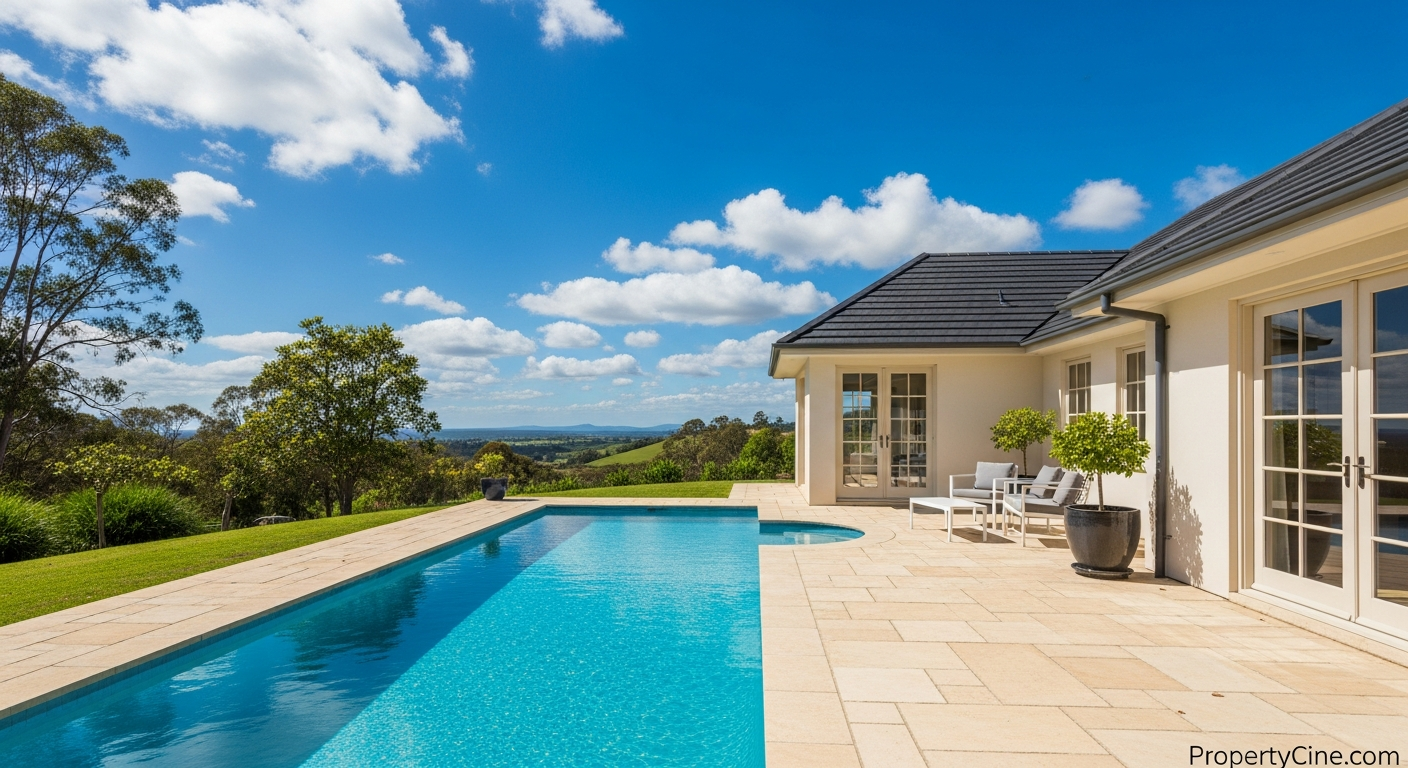
Mobile-First Real Estate Listing Video Production: Captivate on Any Screen
The digital landscape has shifted. Most prospective homebuyers now begin their property search on a mobile device, scrolling through social feeds and real estate portals on their smartphones. This means your real estate listing videos, while visually stunning, must also be engineered for the small screen first.
Failing to adopt a mobile-first approach risks losing engagement. A horizontal video awkwardly scaled down, or a slow-paced tour designed for a large monitor, simply won't capture the fast-scrolling attention of a mobile user. This guide will walk you through the essential strategies for mobile-first real estate listing video production, ensuring your properties stand out where it matters most.
Why Mobile-First Isn't Just an Option, It's a Necessity
Mobile devices are now the primary interface for consuming online content. Agents often report that a significant portion of their website traffic and social media engagement comes from mobile users. These viewers expect content that is:
- Instant: Quick to load and easy to digest.
- Engaging: Visually compelling, even without sound.
- Native: Fits the vertical orientation of their device.
- Actionable: Clear next steps or information.
Embracing mobile-first design means creating content tailored to these habits, leading to higher view-through rates and more qualified inquiries.
The M.O.B.I.L.E. Framework for Listing Video Success
To help agents consistently produce effective mobile-first listing videos, we’ve developed the M.O.B.I.L.E. Framework. This easy-to-remember guide ensures every aspect of your video production is optimized for smartphone viewers.
M - Maximize Vertical Format (9:16 Aspect Ratio)
Most mobile users hold their phones vertically. Producing your video in a 9:16 aspect ratio means it fills the screen, providing an immersive experience without black bars. This is crucial for platforms like Instagram Reels, TikTok, and YouTube Shorts.
O - Open with a Hook (First 3 Seconds)
Mobile viewers have extremely short attention spans. The first few seconds of your video must immediately grab their interest. Start with the most striking feature of the property, a compelling question, or a dynamic shot to stop the scroll.
B - Brief and Engaging (30-90 Seconds)
Long videos often get skipped on mobile. Aim for conciseness. A 30-60 second video is ideal for social platforms, while a slightly longer 90-second version can offer more detail for dedicated listing pages. Focus on impactful highlights rather than exhaustive tours.
I - Informative Over Intricate (Focus on Key Details)
Mobile viewers seek quick insights. Prioritize showcasing 3-5 key selling points of the property. Instead of elaborate cinematic sequences, focus on clear shots of crucial rooms, unique features, and the overall feel of the home.
L - Lucid Text Overlays (Subtitles & Key Info)
Many mobile users watch videos with the sound off, especially in public. Implement clear, easy-to-read text overlays for important information (e.g., "3 Beds | 2.5 Baths | 1800 Sq Ft") and full subtitles for any spoken dialogue. Choose simple, high-contrast fonts.
E - Easy Sharing & CTA (Optimized for Social Platforms)
Ensure your video is easily shareable across mobile-centric platforms. Include a clear, concise Call To Action (CTA) at the end, such as "DM for details" or "Link in Bio for full tour." Optimize descriptions and hashtags for discoverability on each platform. For more on platform optimization, check out our guide on Optimizing Real Estate Listing Videos for Social Media: The REACH Method.
Pre-Production: Laying the Groundwork for Mobile
Effective mobile-first video begins long before you hit record.
Production Tips: Capturing Compelling Mobile Content
Whether you're using a professional camera or your smartphone, these tips enhance your mobile video production:
- Shoot Vertically: Always frame your shots with the 9:16 aspect ratio in mind.
- Stable Shots: Use a gimbal or tripod to avoid shaky footage. Even subtle jitters are amplified on a small screen.
- Dynamic Movement: Incorporate smooth pans, tilts, and tracking shots, but keep them intentional and slow enough to register on a mobile screen.
- Show, Don't Just Tell: Instead of describing a gourmet kitchen, show its high-end appliances and ample counter space with close-ups.
- Voiceover vs. On-Camera: For mobile, a clear, concise voiceover is often more effective than an agent speaking directly to the camera, as it allows for better visual focus on the property.
Post-Production: Polishing for Mobile Impact
This is where your raw footage transforms into a mobile masterpiece.
- Placement: Position text in the central "safe zone" of the vertical frame, avoiding areas where platform UI elements might obscure it.
- Readability: Use bold, sans-serif fonts. Ensure sufficient contrast with the background.
- Timing: Display text long enough to be read, but not so long that it feels stagnant.
Mobile Video: Vertical (9:16) vs. Horizontal (16:9)
Understanding when to use each format is key to maximizing engagement.
| Feature | Vertical Video (9:16) | Horizontal Video (16:9) |
|---|---|---|
| Primary Use | Social media (Reels, TikTok, Shorts), Stories | Website listings, YouTube, professional virtual tours |
| Viewer Habit | Held vertically, fast scrolling, sound off often | Full-screen viewing, more dedicated attention |
| Best For | Quick highlights, captivating hooks, short tours | Detailed walkthroughs, immersive experiences |
| Pros | Fills mobile screen, high engagement on social | Cinematic feel, good for wide shots and landscapes |
| Cons | Can limit wide property views, requires reframing | Black bars on mobile, lower social media engagement |
| Recommendation | Essential for initial mobile touchpoints | Use for comprehensive property pages |
Actionable Templates for Mobile-First Video Marketing
Here are some copy-paste templates to streamline your mobile video strategy. Remember to replace bracketed information `[ ]` with your specific details.
Video Script Template (60-90 Seconds)
Video Title Idea: Discover [Property Address]: [Highlight Feature] Perfection!
Visuals & Text Overlays | Audio (Voiceover / Music)
--------------------------|--------------------------------
(0-3s) Dynamic wide shot of exterior / unique architectural detail. Text: [Property Address] - [Neighborhood] | Upbeat, inviting music. Voiceover: "Welcome to [Property Address] in desirable [Neighborhood]!"
(3-10s) Quick cuts: entryway, living room focus on key design elements. Text: [Key Feature 1, e.g., Open Concept Living] | Voiceover: "Step inside this [adjective, e.g., meticulously designed] home, where [Key Feature 1, e.g., open-concept living] creates a seamless flow."
(10-20s) Kitchen highlights: close-ups of appliances, countertops. Text: [Key Feature 2, e.g., Gourmet Kitchen] | Voiceover: "The [Key Feature 2, e.g., gourmet kitchen] is a chef's dream, featuring [specific detail, e.g., custom cabinetry and top-tier appliances]."
(20-35s) Primary bedroom & bathroom: calm, inviting shots. Text: [Key Feature 3, e.g., Luxurious Primary Suite] | Voiceover: "Relax in the [Key Feature 3, e.g., luxurious primary suite], a private sanctuary with its [bathroom feature, e.g., spa-like ensuite]."
(35-50s) Outdoor space / neighborhood shot: patio, yard, nearby park. Text: [Key Feature 4, e.g., Private Outdoor Oasis / Vibrant Community] | Voiceover: "Enjoy your [Key Feature 4, e.g., private outdoor oasis], perfect for [activity, e.g., entertaining], or explore the vibrant [neighborhood name] community."
(50-60s) Quick montage of top 3 features, then CTA. Text: Tour Today! [Your Contact Info] / Link in Bio! | Voiceover: "This isn't just a home, it's a lifestyle. Don't miss your chance to see [Property Address]. Contact us today for a private tour!" Music fades out.
Email Subject Line Templates
Social Media Caption Templates
Instagram/TikTok:
"Scroll-stopping video alert! ✨ Take a quick mobile-first tour of [Property Address] in [Neighborhood]. From its [Key Feature 1] to the [Key Feature 2], this one truly shines. What's your favorite part? 👇 #RealEstateVideo #MobileFirst #ListingVideo #[Neighborhood]Homes #[YourCity]RealEstate #DreamHome"
Facebook:
"Experience [Property Address] like never before with our new mobile-optimized video tour! We’ve captured every angle of this stunning [Number] bed, [Number] bath home, ensuring it looks incredible on your phone. See why it’s the perfect blend of [Adjective 1] and [Adjective 2]. Watch here: [Link to Video] #PropertyTour #[Neighborhood]Living #RealEstate #[YourBrokerage]"
Follow-Up Message Template (Post-Video Inquiry)
"Hi [Prospect Name], thanks for your interest in [Property Address]! I saw you viewed our mobile video tour. What caught your eye the most? I'd be happy to answer any questions or schedule a private showing at your convenience. Let me know what works best for you!"
FAQ
Q1: What is the ideal aspect ratio for mobile-first real estate videos?
A1: The ideal aspect ratio is 9:16 (vertical), as it fills the screen on most smartphones, providing a more immersive viewing experience.
Q2: How long should a mobile-first listing video be?
A2: For platforms like TikTok and Instagram Reels, aim for 30-60 seconds. For a more detailed tour on a listing page, 60-90 seconds is generally optimal to maintain engagement on mobile.
Q3: Do I need special equipment to shoot mobile-first videos?
A3: No, a modern smartphone can produce excellent quality mobile-first videos. For stability, a simple gimbal or tripod is highly recommended. Good lighting and clear audio (even with a small external mic) are more important than the camera itself.
Q4: Should I always shoot vertically, or are horizontal videos still useful?
A4: For initial engagement on social media and mobile-first platforms, vertical (9:16) is highly effective. Horizontal (16:9) videos are still valuable for comprehensive tours on dedicated listing pages and YouTube, where viewers might be using larger screens or watching full-screen. The best strategy is often to produce both.
Q5: What are the best platforms for sharing mobile-first real estate listing videos?
A5: Instagram Reels, TikTok, YouTube Shorts, and Facebook Reels/Stories are excellent platforms for mobile-first videos due to their vertical format and short-form content focus.
Q6: Is it necessary to add text overlays and subtitles if I have a voiceover?
A6: Yes, it's highly recommended. Many mobile users watch videos with sound off. Text overlays for key information and subtitles for dialogue ensure your message is conveyed regardless of audio settings.
Q7: How can PropertyCine help with mobile-first video production?
A7: PropertyCine leverages AI to transform your existing listing photos into cinematic videos, which can then be optimized for various aspect ratios, including 9:16, making it easier to produce mobile-first content without extensive shooting or editing.
Q8: What's the biggest mistake to avoid with mobile-first videos?
A8: The biggest mistake is simply cropping a horizontal video into a vertical frame without re-framing or re-editing. This often results in critical details being cut out or a poorly composed shot, diminishing the video's impact.
Key Takeaways
- Prioritize Vertical: Design and shoot your videos in 9:16 aspect ratio for optimal mobile viewing.
- Hook & Be Brief: Capture attention in the first 3 seconds and keep videos concise (30-90 seconds).
- Inform with Text: Use clear text overlays and subtitles, as many watch without sound.
- Framework Your Approach: Follow the M.O.B.I.L.E. Framework for consistent, effective mobile-first content.
- Optimize for Platform: Tailor content and CTAs to specific mobile-centric social media platforms.
Ready to Captivate Mobile Viewers?
Mastering mobile-first real estate listing video production can significantly boost your engagement and connect you with today's buyers. Start by optimizing your next listing video with the M.O.B.I.L.E. Framework and leverage tools that simplify the process.
Ready to create stunning, mobile-optimized property videos from your existing photos? Try PropertyCine free today and transform your listings into captivating visual stories that perform on any screen.
Continue Your Learning
Explore more insights from our real estate marketing blog:
- Engage & Convert: Implementing Interactive Elements in Real Estate Listing Videos
- Elevate Your Listings: Advanced Drone Video Techniques for Luxury Real Estate
- Optimizing Real Estate Listing Videos for Social Media: The REACH Method
Ready to transform your property listings? PropertyCine makes it easy to create stunning cinematic videos from your listing photos. Get started free today.


Turn Your Listing Photos Into Stunning Videos
Upload your property photos and our AI creates cinematic videos with natural motion - curtains sway, water ripples, light shifts. Ready in ~5 minutes.
Try Free - No Credit CardContinue Reading
Unlocking Niche Appeal: Short-Form Video for Niche Property Markets
Read moreData-Driven Video Personalization for Buyers: Captivate Your Real Estate Audience
Read moreMastering Interactive Short-Form Video for Property Tours: Drive Engagement & Sales
Read morePropertyCine Team
Expert insights on real estate video marketing and AI technology.
Related Articles
Unlocking Niche Appeal: Short-Form Video for Niche Property Markets
Data-Driven Video Personalization for Buyers: Captivate Your Real Estate Audience
Mastering Interactive Short-Form Video for Property Tours: Drive Engagement & Sales
Smart Home Video Tours Real Estate Agents Need to Master
Elevate Listings: Smart Home Technology Video Tours Real Estate Agents Need
Mastering Property Video Editing: A Complete Guide
Create Stunning Property Videos Today
Transform your listing photos into cinematic videos with AI.
Get Started Free