
Virtual Staging Video Tours: Elevate Your Real Estate Listings
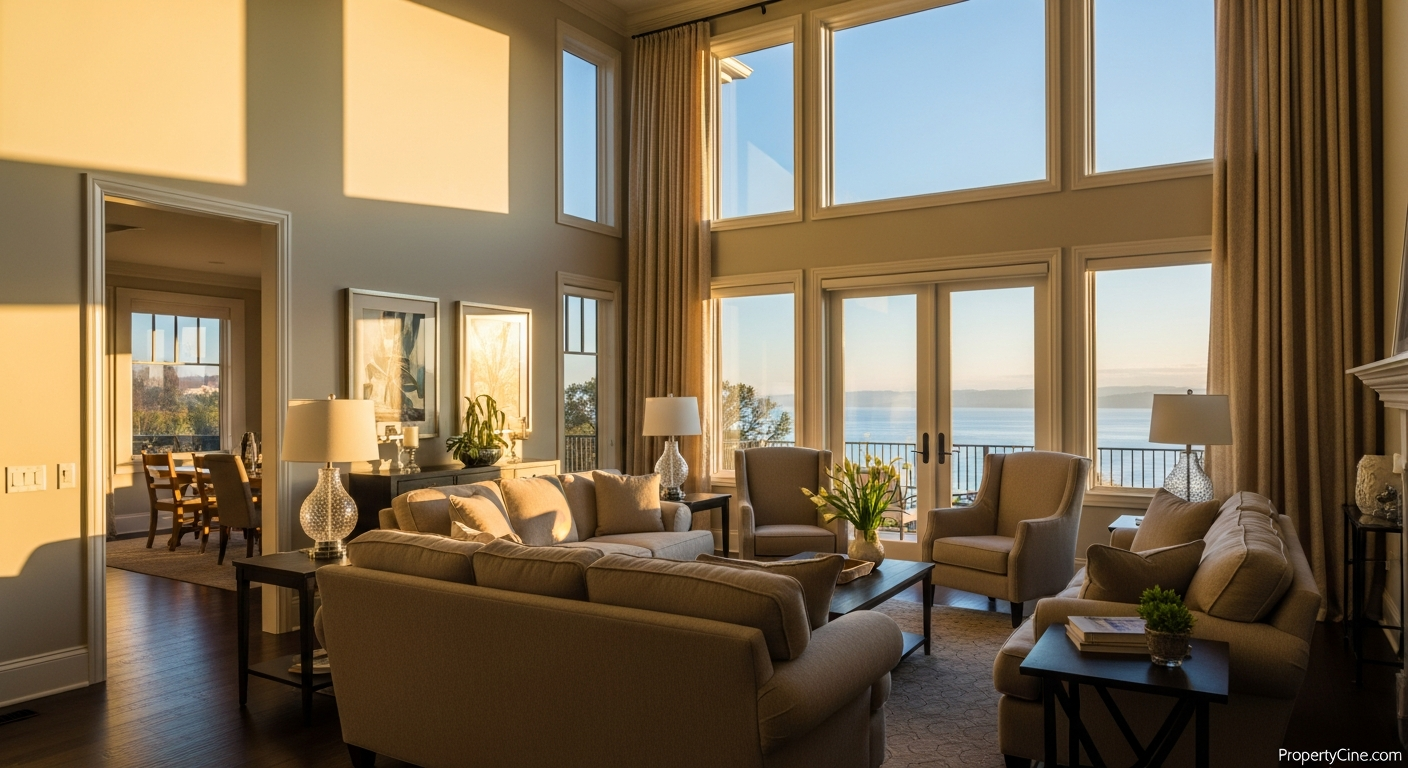
The challenge of selling a vacant or outdated property is universal in real estate. Empty rooms can feel cold and uninviting, making it difficult for prospective buyers to envision themselves living in the space. Traditional physical staging can be costly and time-consuming, a barrier for many agents.
This is where virtual staging video tours emerge as a powerful solution. By transforming static listing photos into dynamic, staged video walkthroughs, agents can offer an immersive experience that brings properties to life without the logistical headaches or expense of physical staging. These digitally enhanced tours help buyers connect emotionally with a home's potential, making your listings stand out in a competitive market.
What Are Virtual Staging Video Tours?
Virtual staging video tours take standard photographs of a vacant or unfurnished property and digitally populate them with furniture, decor, and accessories. Instead of just static images, these elements are then animated into a smooth, cinematic video walkthrough. The result is a realistic, inviting tour that guides viewers through a fully staged home, all created virtually.
This process leverages advanced technology, often incorporating AI, to seamlessly integrate virtual furnishings that match the property's style and target demographic. It's about presenting a property's best possible future, today.
Why Immersive Virtual Staging Video Tours are Essential for Real Estate
Integrating digitally staged video walkthroughs into your marketing strategy can significantly impact your listing's performance and buyer engagement.
1. Enhance Buyer Visualization and Connection
Empty rooms can be challenging for buyers to conceptualize. Virtual staging provides context, scale, and a sense of warmth, helping viewers easily imagine living in the home. This emotional connection often translates into stronger interest.
2. Broaden Property Appeal
A vacant property might appeal to a limited audience, perhaps only those with a strong imagination for renovation. With virtual staging, the property's appeal widens to include buyers who prefer move-in ready aesthetics, showcasing its versatility and potential across different lifestyle needs.
3. Streamline Your Listing Process
Physical staging requires coordination, moving furniture, and significant expense. Virtual staging eliminates these hurdles, allowing for quick turnarounds and cost-effective presentations. This efficiency allows agents to list properties faster and more frequently.
4. Drive Higher Engagement Rates
In a visually driven market, video content consistently captures attention. Staged listing videos offer a richer experience than photos alone, encouraging viewers to spend more time exploring the property and engaging with the listing.
5. Differentiate Your Listings
Few things stand out more than a beautifully presented home. When other agents present empty rooms, your immersive property video tours, complete with stunning virtual staging, will immediately position your listings as premium and forward-thinking.
The "VISION" Framework for Crafting Impactful Virtual Staging Video Tours
To maximize the effectiveness of your staged listing videos, consider the "VISION" Framework:
- Visualization Power: Focus on creating scenes that help buyers truly see themselves in the space.
- Immersive Storytelling: Craft a narrative through camera movement and staging that tells the home's story.
- Streamlined & Scalable: Leverage tools that make the process efficient and repeatable for all your listings.
- Increased Engagement: Design videos to capture and hold attention, encouraging longer viewing times.
- Outstanding First Impressions: Ensure the virtual staging quality is high, reflecting professionalism.
- New Horizons for Marketing: Use these tours across various platforms to expand your reach.
This framework guides you to create not just videos, but compelling experiences that resonate with potential buyers.
Creating Your Immersive Virtual Staging Video Tours: A Step-by-Step Guide
Producing high-quality real estate virtual staging videos doesn't have to be complex. Here’s a streamlined process:
1. Capture High-Quality Source Photos
The foundation of any great virtual staging video is excellent source material.
- Lighting is Key: Shoot during daylight hours with natural light, or use professional lighting equipment.
- Clean and Clear: Ensure rooms are tidy, free of clutter, and any existing items are removed.
- Wide Angles: Capture wide shots of each room to provide a full sense of space.
- Consistent Quality: Maintain consistent exposure and white balance across all photos.
2. Choose Your Virtual Staging & Video Creation Tool
Select a platform that can transform your photos into compelling, virtually staged video tours.
- AI-Powered Solutions: Tools like PropertyCine excel at converting static images into cinematic videos, often incorporating virtual staging seamlessly. These platforms can automate camera movements, transitions, and even add background music, reducing manual effort.
- Staging Style Options: Look for tools that offer a variety of design styles to match different property types and target demographics (e.g., modern, traditional, minimalist).
3. Design Your Virtual Staging Layouts
This is where the magic happens, digitally furnishing the space.
- Target Audience: Consider who you're trying to attract. A family home might need kid-friendly elements, while a luxury condo might require sophisticated, minimalist designs.
- Flow and Function: Arrange virtual furniture to showcase the room's function and natural flow. Don't overcrowd the space.
- Color and Texture: Select virtual furniture and decor that complement the existing finishes of the home (flooring, wall colors) to create a cohesive look.
4. Develop a Narrative and Add Audio
A video tour isn't just visuals; a compelling narrative enhances the experience.
- Scripting: Even for a 60-second tour, a brief script (or at least key talking points) helps guide the video's focus. Highlight unique features or lifestyle benefits.
- Music: Select royalty-free background music that sets an inviting and sophisticated tone. Avoid anything too distracting or overly dramatic.
- Voiceover (Optional): A professional voiceover can guide viewers through the property, pointing out features that might otherwise be missed. For inspiration on structuring your narrative, consider how generative AI can assist with scripting in our article on Revolutionizing Real Estate with Generative AI Video Scripts.
5. Edit, Optimize, and Distribute
Refine your video and get it out to your audience.
- Transitions and Pacing: Ensure smooth transitions between rooms and a comfortable pace that allows viewers to absorb each staged area.
- Call to Action: Include a clear call to action at the end of the video, such as "Schedule a showing" or "Contact [Your Name] today."
- Branding: Incorporate your branding elements (logo, contact info) discreetly.
- Platform Optimization: Distribute your real estate virtual staging videos across all relevant platforms: your website, MLS, social media (YouTube, Instagram, Facebook), and email campaigns. Remember to check out our blog on Interactive Property Video Tours: Beyond Standard Virtual Showings for advanced distribution ideas.
Comparison: Physical Staging vs. Virtual Staging Video Tours
Understanding the differences between these two approaches can help you decide the best strategy for each listing.
| Feature | Physical Staging | Virtual Staging Video Tours |
|---|---|---|
| Cost | High (rental fees, logistics, labor) | Low to Moderate (software, staging service fees) |
| Time Investment | Days to weeks (setup, tear-down) | Hours to days (photo capture, digital rendering) |
| Flexibility | Limited (one style per staging) | High (multiple styles for different target audiences) |
| Scalability | Low (logistically challenging for multiple properties) | High (digital process easily replicated) |
| Visual Realism | Fully real, tangible experience | Highly realistic digital rendering, but not tangible |
| Buyer Engagement | Strong in-person; photos can be static | Strong online; engaging, dynamic, and immersive |
| Logistics | Complex (furniture moving, storage) | Simple (digital files, no physical items) |
| Wear & Tear | Furniture can get damaged | None, purely digital |
Ethical Considerations and Best Practices
Transparency is paramount when using virtual staging.
- Disclosure: Always disclose that a property is virtually staged in the listing description. A simple note like "Virtually staged for illustrative purposes" prevents misunderstandings.
- Realistic Staging: Ensure the virtual furniture fits the scale and style of the room. Over-the-top or unrealistic staging can mislead buyers.
- Focus on Potential: Use virtual staging to highlight the property's potential, not to hide flaws. Structural issues or necessary repairs should be addressed or clearly communicated.
- Manage Expectations: Be prepared to explain the virtual staging process to potential buyers and clarify what is and isn't physically present.
Templates for Virtual Staging Video Tour Success
Here are some copy-paste templates to get you started:
Email Subject Line Templates
60-90 Second Video Script Template
(Scene 1: Opening Shot – Exterior or key feature, gentle music starts)
Voiceover: "Welcome to [Property Address], a remarkable opportunity nestled in the heart of [Neighborhood]. Today, we're excited to offer you a glimpse into its true potential."
(Scene 2: Living Room – Virtually staged, slow pan)
Voiceover: "Step inside this [describe architectural style] residence. The expansive living area, as you see, is thoughtfully staged to inspire cozy evenings and vibrant gatherings. Imagine personalizing this inviting space for your lifestyle."
(Scene 3: Kitchen – Virtually staged, highlighting features)
Voiceover: "The [kitchen feature, e.g., open-concept kitchen] awaits your culinary adventures. With ample [countertop material] countertops and potential for modern appliances, this space is designed for both functionality and flair."
(Scene 4: Master Bedroom – Virtually staged, soft lighting)
Voiceover: "Retreat to the serene master suite. This generously sized room, virtually furnished for comfort, promises a peaceful sanctuary after a long day. [Mention a specific feature like 'private balcony' or 'walk-in closet']. "
(Scene 5: Key Feature/Backyard – Virtually staged, if applicable)
Voiceover: "Beyond the interiors, [mention a unique feature like 'the spacious backyard' or 'convenient access to local amenities']. This home is more than just walls; it's a canvas for your future."
(Scene 6: Closing Shot – Exterior again, or contact info overlay)
Voiceover: "Ready to see how [Property Address] can become your dream home? Contact [Your Name/Team Name] today to schedule a private showing. Don't miss this opportunity in [Neighborhood]!"
(Music fades)
Social Media Caption Templates
Instagram/Facebook:
"Empty spaces, endless possibilities! ✨ Take an immersive virtual tour of our newest listing at [Property Address] in [Neighborhood]. See how stunning this [Property Type] can be, perfectly staged for modern living. Link in bio to watch the full video! #VirtualStaging #RealEstateVideo #NewListing [Neighborhood]Homes #PropertyCine #[YourCity]RealEstate"
LinkedIn:
"Elevating the real estate experience! We're excited to present our latest listing at [Property Address] with a captivating virtual staging video tour. This approach not only showcases a property's true potential but also significantly enhances buyer engagement. Discover the future of property marketing. Watch the full tour: [Link to video] #RealEstateMarketing #VirtualStaging #PropertyTech #AIinRealEstate #RealEstateAgent"
FAQ
Q1: How realistic do virtual staging video tours look?
A1: With advanced software and skilled designers, virtual staging video tours can achieve a high level of realism, often indistinguishable from physical staging in video format. Quality depends on the original photos and the staging tool used.
Q2: Is virtual staging legal?
A2: Yes, virtual staging is legal, but transparency is crucial. You must disclose in the listing description and, ideally, in the video itself, that the staging is virtual.
Q3: Can virtual staging hide property flaws?
A3: Virtual staging is intended to showcase a property's potential, not to conceal existing issues. Ethical use requires that you do not digitally alter structural flaws or necessary repairs.
Q4: What's the typical cost for a virtual staging video tour?
A4: Costs vary depending on the tool or service. Solutions that convert photos to video with integrated virtual staging, like PropertyCine, offer a highly cost-effective alternative to traditional physical staging.
Q5: What equipment do I need to create these tours?
A5: You primarily need a good quality camera (DSLR, mirrorless, or even a modern smartphone with good lighting) to capture high-resolution photos. The conversion to video and virtual staging is handled by software or a service.
Q6: How long should a virtual staging video tour be?
A6: For optimal engagement, aim for 60-90 seconds. This duration is long enough to cover key areas but short enough to maintain viewer attention.
Q7: Where should I share my virtual staging video tours?
A7: Distribute them widely: on your website, MLS (if allowed), YouTube, social media platforms (Instagram, Facebook, TikTok, LinkedIn), and via email marketing.
Q8: Can I use virtual staging for occupied homes?
A8: While primarily used for vacant homes, virtual staging can also be used to update or enhance occupied spaces that may have outdated furniture, provided you are transparent about the virtual elements.
Key Takeaways
* Virtual staging video tours transform vacant listings into engaging, visually rich experiences, helping buyers visualize potential.
* They offer significant advantages over physical staging, including cost-effectiveness, speed, and flexibility.
* The "VISION" Framework guides agents in creating impactful, high-engagement videos.
* Always prioritize transparency and ethical disclosure when using virtual staging.
* Leverage templates and a step-by-step process to streamline your content creation.
Ready to transform your listings and captivate buyers with immersive, virtually staged video tours? Get our exclusive "Virtual Staging Video Tour Template Pack" including more scripts and social media prompts, and then try PropertyCine free to turn your photos into cinematic, AI-powered property videos today.
Continue Your Learning
Explore more insights from our real estate marketing blog:
- How AI-Powered Real Estate Video Analytics Is Revolutionizing Marketing
- Experience the Future: Immersive AR Tours for Dubai Off-Plan Properties
- TikTok Marketing Strategies for Dubai Real Estate Videos
Ready to transform your property listings? PropertyCine makes it easy to create stunning cinematic videos from your listing photos. Get started free today.


Turn Your Listing Photos Into Stunning Videos
Upload your property photos and our AI creates cinematic videos with natural motion - curtains sway, water ripples, light shifts. Ready in ~5 minutes.
Try Free - No Credit CardContinue Reading
PropertyCine Team
Expert insights on real estate video marketing and AI technology.
Related Articles
Data-Driven Video Personalization for Buyers: Captivate Your Real Estate Audience
Mastering Interactive Short-Form Video for Property Tours: Drive Engagement & Sales
Smart Home Video Tours Real Estate Agents Need to Master
Elevate Listings: Smart Home Technology Video Tours Real Estate Agents Need
Mastering Property Video Editing: A Complete Guide

Elevating Luxury Real Estate Video Storytelling: The 4 C's Framework
Create Stunning Property Videos Today
Transform your listing photos into cinematic videos with AI.
Get Started Free