
Your Real Estate Video Production Budget: Smart Spending for Agents
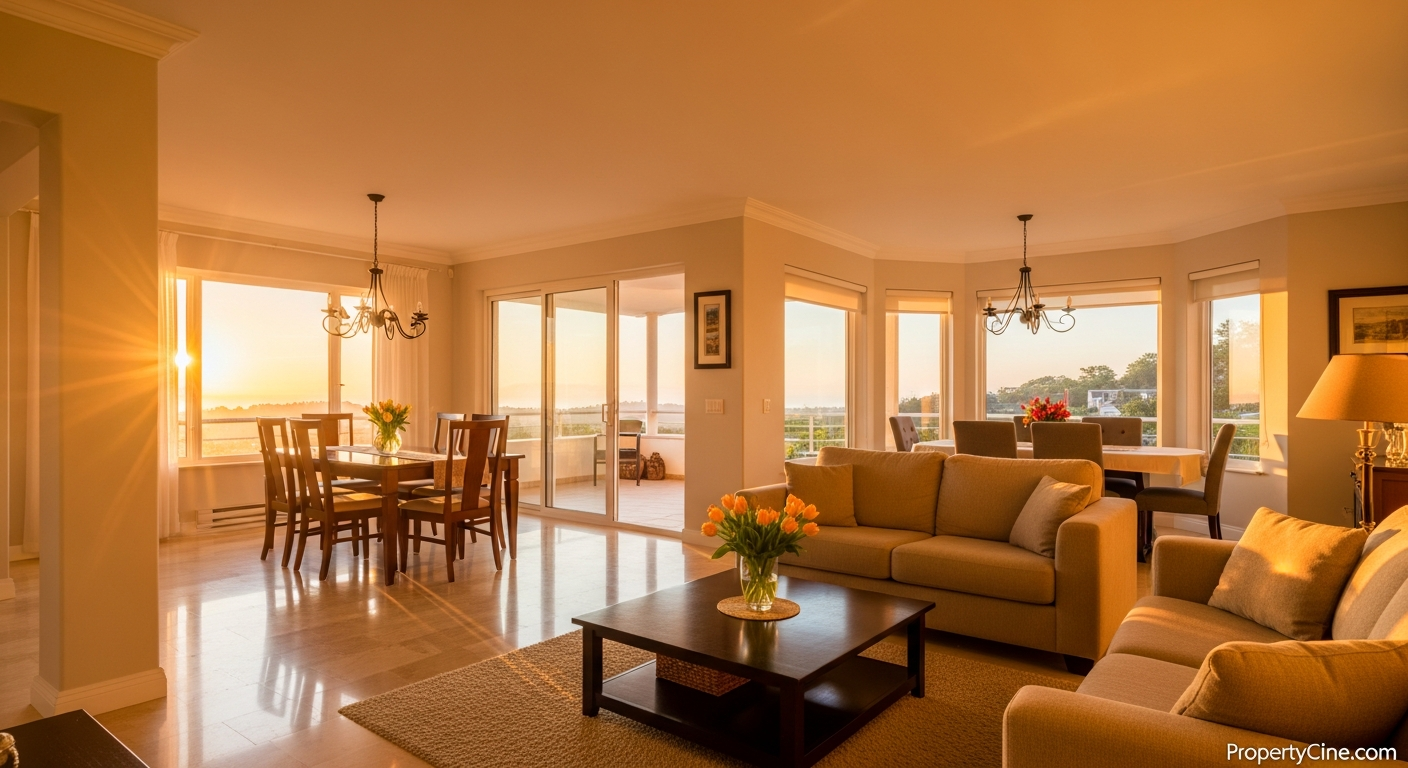
Your Real Estate Video Production Budget: Smart Spending for Agents
In today's competitive property market, video is no longer a luxury—it's a necessity for capturing attention and conveying value. However, many real estate professionals worry about the perceived high cost of creating high-quality video content. The good news is that an effective real estate video production budget doesn't necessarily mean spending a fortune. It's about smart planning, strategic resource allocation, and leveraging the right tools.
This guide will walk you through optimizing your spending on property video, helping you achieve professional results on any budget. We'll introduce the SCENE Framework—Strategy, Cost-Effective Creation, Efficient Automation, Nurture & Evaluate, and Expand Reach—to ensure every dollar you invest delivers maximum impact.
The SCENE Framework for Your Real Estate Video Production Budget
The SCENE Framework provides a structured approach to managing your video marketing investment:
- Strategy: Define clear goals and content types.
- Cost-Effective Creation: Choose the right production method.
- Efficient Automation: Leverage AI and smart tools.
- Nurture & Evaluate: Track performance and refine.
- Expand Reach: Maximize content lifespan and distribution.
Strategy: Defining Your Video Goals and Content Types
Before allocating a single dollar to your real estate video production budget, define what you want your videos to achieve. Are you aiming for more listing inquiries, stronger personal branding, or community engagement? Different goals require different video types, which, in turn, influence your spending.
Consider these common video types and their budget implications:
- Listing Walkthroughs: Showcase specific properties. Can range from simple smartphone tours to cinematic productions.
- Agent Introductions/About Me: Build trust and personal connection. Often requires higher production value for brand consistency.
- Market Updates/Explainer Videos: Position you as an expert. Can be shot simply, focusing on clear communication. If you need inspiration, explore Real Estate Explainer Video Ideas: Demystifying the Market for Clients.
- Community Spotlights: Highlight neighborhood amenities and lifestyle. Often a mix of B-roll and agent commentary.
- Behind-the-Scenes: Humanize your brand. Can be low-cost, authentic content.
Your content calendar should align with your strategy. Planning ahead helps you budget efficiently and avoid last-minute, expensive rushes. For comprehensive planning, consult Planning for Success: Your 2026 Real Estate Video Content Calendar.
Cost-Effective Creation: Choosing Your Production Method
The core of managing your real estate video production budget lies in deciding how your videos will be made. You have three primary options: DIY, Professional Services, or a Hybrid approach.
DIY (Do-It-Yourself)
Pros:
- Lowest direct cost
- Full creative control
- Quick turnaround
Cons:
- Requires learning curve
- Time-consuming
- Quality can vary
Budget-Friendly Gear for DIY:
- Smartphone: Most modern phones shoot 4K video.
- Gimbal/Stabilizer: Essential for smooth footage (e.g., DJI Osmo Mobile, Zhiyun Smooth Q).
- External Microphone: Crucial for clear audio (e.g., Rode SmartLav+, Comica CVM-VM10-K2).
- Basic Lighting: Portable LED panel or ring light for interiors.
- Editing App: CapCut, InShot (mobile); DaVinci Resolve (free desktop); Premiere Rush (subscription).
DIY Checklist for Property Videos:
- [ ] Fully charge all equipment.
- [ ] Clean lenses (phone camera, drone).
- [ ] Clear and declutter the property.
- [ ] Ensure good lighting (open blinds, turn on lights).
- [ ] Record audio in a quiet environment.
- [ ] Shoot horizontal for most platforms.
- [ ] Capture a variety of shots: wide, medium, close-up details.
- [ ] Review footage immediately after shooting.
Professional Video Services
Pros:
- Highest quality production
- Time-saving for agents
- Access to advanced equipment/expertise
Cons:
- Highest direct cost
- Less creative control
- Longer turnaround times
When to Hire a Pro:
- Luxury listings or high-commission properties.
- Brand-defining "About Me" or company overview videos.
- Complex aerial drone footage or specialized videography.
Hybrid Approach
Pros:
- Balances quality and cost
- Leverages existing assets
- Strategic outsourcing
Cons:
- Requires coordination
- Might still incur significant costs for key elements
How it Works:
- You handle basic property tours with your phone.
- You hire a professional for drone shots or a polished agent intro.
- You use AI tools to convert existing photos into dynamic video tours.
Efficient Automation: Leveraging AI and Smart Tools
This is where technology significantly optimizes your real estate video production budget. AI-powered platforms can drastically reduce the time and cost associated with video creation, especially for listing tours.
Instead of manual editing or shooting every property, tools like PropertyCine can transform your existing high-quality listing photos into cinematic video walkthroughs in minutes. This dramatically lowers the per-video cost and accelerates your marketing efforts, allowing you to produce professional-grade content at scale without a dedicated video editor.
Consider using:
- AI Video Generators: For converting photos into video, adding music, transitions, and text overlays (e.g., PropertyCine).
- Teleprompter Apps: For consistent, confident delivery in agent intro or market update videos.
- Stock Music/Footage Libraries: Cost-effective ways to add polish without needing original scores or B-roll.
Video Script Template (60-90 seconds)
Use this adaptable script for a property highlight or market update video.
Title: [Property Address] – Modern Living in [Neighborhood] / [Your Name]’s [Month] Market Update
Scene 1: Opening Shot (5-10 seconds)
* Visual: Drone shot establishing the neighborhood, or an inviting exterior shot of the property. For a market update, a clean background with your branding.
* Audio: Upbeat, professional background music fades slightly.
* Voiceover/Agent: "Welcome to [Neighborhood], where opportunity meets convenience. I’m [Your Name] from [Your Brokerage]." OR "Hello, I'm [Your Name], bringing you the latest [Month] market insights for [Your Area]."
Scene 2: Key Feature/Market Insight (20-30 seconds)
* Visual: Interior shot of the living room, kitchen, or a key local amenity. For market update, simple graphics or a b-roll of local landmarks.
* Audio: Voiceover/Agent: "Today, we're exploring [Property Address], a stunning [Number]-bedroom home designed for modern living. Notice the open-concept layout and gourmet kitchen perfect for entertaining." OR "In [Your Area], we’re seeing [Key Trend – e.g., 'a strong seller's market' or 'increased buyer activity']. Average home prices for [Property Type] have [Increased/Decreased] by [General Observation]."
* Text Overlay: "Spacious Living," "Gourmet Kitchen," or "Avg. Price Trend: Up"
Scene 3: Lifestyle/Benefit & Call to Action (20-30 seconds)
* Visual: Shot of a luxurious bathroom, backyard oasis, or a happy family in the neighborhood park. For market update, you confidently addressing the camera.
* Audio: Voiceover/Agent: "Imagine relaxing on your private patio or enjoying a short stroll to [Local Landmark/Amenity]. This isn’t just a house; it’s a lifestyle waiting for you." OR "What does this mean for you? If you’re considering [Buying/Selling], understanding these dynamics is crucial. I’m here to help navigate this market."
* Text Overlay: "Your Dream Home Awaits," "Steps from [Park Name]," or "Get Your Personalized Market Report."
Scene 4: Closing & Contact (5-10 seconds)
* Visual: Agent smiling at the camera, or animated contact details.
* Audio: Voiceover/Agent: "Ready to make this home yours? Or curious about your property's value? Contact me today for a private showing or a personalized consultation." Background music swells.
* Text Overlay: "[Your Name] | [Your Phone Number] | [Your Website/Social Media Handle]"
Nurture & Evaluate: Tracking Performance and Refining Your Budget
Creating videos is only half the battle. To truly optimize your real estate video production budget, you need to know what's working. Track key metrics to understand your audience and refine your strategy.
Key Metrics to Track:
- View Count: Basic reach.
- Watch Time/Completion Rate: Indicates engagement.
- Click-Through Rate (CTR): If linked to a landing page.
- Inquiries/Leads Generated: The ultimate measure of effectiveness.
Analyze which types of videos get the most engagement and translate into leads. This data helps you make informed decisions about where to invest your next dollar. For deeper insights into video ROI, explore Maximizing Your Real Estate Video Marketing ROI: A Practical Guide.
Expand Reach: Maximizing Content Lifespan and Distribution
Don't let your video content be a one-time use asset. Maximize your real estate video production budget by repurposing and widely distributing your videos.
Repurposing Strategies:
- Short Clips: Extract 15-30 second highlights for Instagram Reels, TikTok, or YouTube Shorts.
- Image Carousels: Use striking stills from your video for social media posts.
- Audio Snippets: Turn market update video audio into quick podcast segments or voice notes.
- Blog Posts: Transcribe video content into blog articles, embedding the video for multimedia appeal.
Distribution Channels:
- MLS/Property Portals: Embed video tours directly into listings.
- Social Media: YouTube, Facebook, Instagram, LinkedIn, TikTok.
- Email Marketing: Embed videos or GIFs in newsletters to drive engagement. If you're looking to boost engagement, consider Boost Engagement: Integrating Video Email Marketing Real Estate for Lead Nurturing.
- Website/Blog: Feature videos prominently on your personal website and listing pages.
Social Media Caption Templates
1. New Listing Highlight:
"Step into modern elegance at [Property Address]! This stunning [Number]-bedroom, [Number]-bathroom home in [Neighborhood] offers [Key Feature 1, e.g., 'a chef's kitchen'] and [Key Feature 2, e.g., 'a tranquil backyard oasis']. Perfect for [Target Audience, e.g., 'families or entertainers']. See the full video tour and fall in love! #NewListing #RealEstate [Neighborhood] #DreamHome [YourCity]RealEstate [LinkToListing]"
2. Market Update/Expert Advice:
"What's happening in the [Your Area] real estate market this [Month]? 📈 I'm breaking down [Key Trend, e.g., 'inventory levels' or 'average home prices'] and what it means for buyers and sellers. Stay informed! Watch my latest update. #MarketUpdate #RealEstateNews [YourCity] #AgentTips [LinkToVideo]"
3. Agent Introduction/Behind-the-Scenes:
"Get to know the person behind the listings! 👋 I'm [Your Name], and my passion is helping you find your dream home in [Your City]. From [UniqueService, e.g., 'first-time buyer guidance'] to [AnotherUniqueService, e.g., 'investment strategies'], I'm here to simplify your real estate journey. Let's connect! #MeetTheAgent #RealEstateProfessional [YourName]Realtor #ClientSuccess [LinkToWebsite]"
Email Subject Line Templates
FAQ
Q1: What's a realistic starting real estate video production budget for a new agent?
A new agent can start with a very modest budget, focusing on DIY. With a modern smartphone, a basic gimbal (approx. $100), and an external mic (approx. $50), you can produce good quality videos. Tools like PropertyCine can further extend a small budget by generating videos from existing photos.
Q2: Is it better to DIY all videos or hire a professional?
It depends on your goals and resources. DIY is excellent for volume, authenticity, and quick updates. Professionals are best for high-end listings, complex aerial shots, or polished branding videos where maximum impact is crucial. A hybrid approach often provides the best balance for your real estate video production budget.
Q3: How frequently should I be producing real estate videos?
Consistency is key. Aim for at least 1-2 substantial videos per month (e.g., listing tours, market updates) and supplement with shorter, more frequent content (e.g., social media reels, quick tips) weekly.
Q4: Can AI truly create high-quality real estate videos?
Yes, AI-powered platforms like PropertyCine can transform high-resolution listing photos into professional, cinematic video tours with music, transitions, and text. While not a replacement for a custom-shot, highly conceptualized video, they offer an incredibly efficient and cost-effective solution for showcasing properties dynamically.
Q5: What's the most critical piece of equipment for a DIY real estate video production budget?
A good external microphone is arguably the most critical. Viewers can tolerate less-than-perfect visuals, but poor audio will quickly cause them to disengage. A clear voiceover or agent presentation makes a huge difference.
Q6: How can I make my real estate video production budget more efficient?
Focus on planning (the SCENE framework), repurpose your content across multiple platforms, use AI tools for efficiency, and track your video performance to refine your strategy. Don't create content just to create it; ensure it aligns with a clear goal.
Q7: Should I use background music in my real estate videos?
Yes, tasteful background music enhances the viewing experience, sets the mood, and adds a professional touch. Ensure you use royalty-free music to avoid copyright issues. Many video editing apps and AI tools offer built-in libraries.
Q8: What's the difference between a video walkthrough and a cinematic tour in terms of budget?
A video walkthrough is typically a simpler, often handheld or gimbal-stabilized tour, focusing on showing the property's layout. A cinematic tour involves more advanced camera work, dynamic angles, professional editing, color grading, and often drone footage, which naturally commands a higher real estate video production budget.
Key Takeaways
* Strategy First: Define clear goals for your videos to guide your real estate video production budget effectively.
* Embrace the Hybrid Approach: Combine DIY efforts for everyday content with strategic professional or AI assistance for key assets.
* Leverage AI for Efficiency: Tools like PropertyCine can dramatically reduce costs and time for listing videos.
* Measure and Adapt: Track video performance to ensure your investment is generating results.
* Repurpose Content: Extend your video's lifespan by creating shorter clips, social posts, and blog content from existing footage.
Ready to create stunning property videos without overspending? Explore smart solutions for your real estate video production budget. Get started with efficient video creation by trying PropertyCine free today and transform your listing photos into engaging cinematic tours.
Continue Your Learning
Explore more insights from our real estate marketing blog:
- Mastering Community Showcase Videos for Dubai Developments
- SEO Optimization for Dubai Real Estate Videos: Your Guide to Visibility
- Mastering Dubai Off-Plan Project Video Walkthroughs
Ready to transform your property listings? PropertyCine makes it easy to create stunning cinematic videos from your listing photos. Get started free today.


Turn Your Listing Photos Into Stunning Videos
Upload your property photos and our AI creates cinematic videos with natural motion - curtains sway, water ripples, light shifts. Ready in ~5 minutes.
Try Free - No Credit CardContinue Reading
Unlocking Niche Appeal: Short-Form Video for Niche Property Markets
Read moreData-Driven Video Personalization for Buyers: Captivate Your Real Estate Audience
Read moreMastering Interactive Short-Form Video for Property Tours: Drive Engagement & Sales
Read morePropertyCine Team
Expert insights on real estate video marketing and AI technology.
Related Articles
Unlocking Niche Appeal: Short-Form Video for Niche Property Markets
Data-Driven Video Personalization for Buyers: Captivate Your Real Estate Audience
Mastering Interactive Short-Form Video for Property Tours: Drive Engagement & Sales
Smart Home Video Tours Real Estate Agents Need to Master
Elevate Listings: Smart Home Technology Video Tours Real Estate Agents Need
Mastering Property Video Editing: A Complete Guide
Create Stunning Property Videos Today
Transform your listing photos into cinematic videos with AI.
Get Started Free